
Check documented interactions and ingredient allergens.
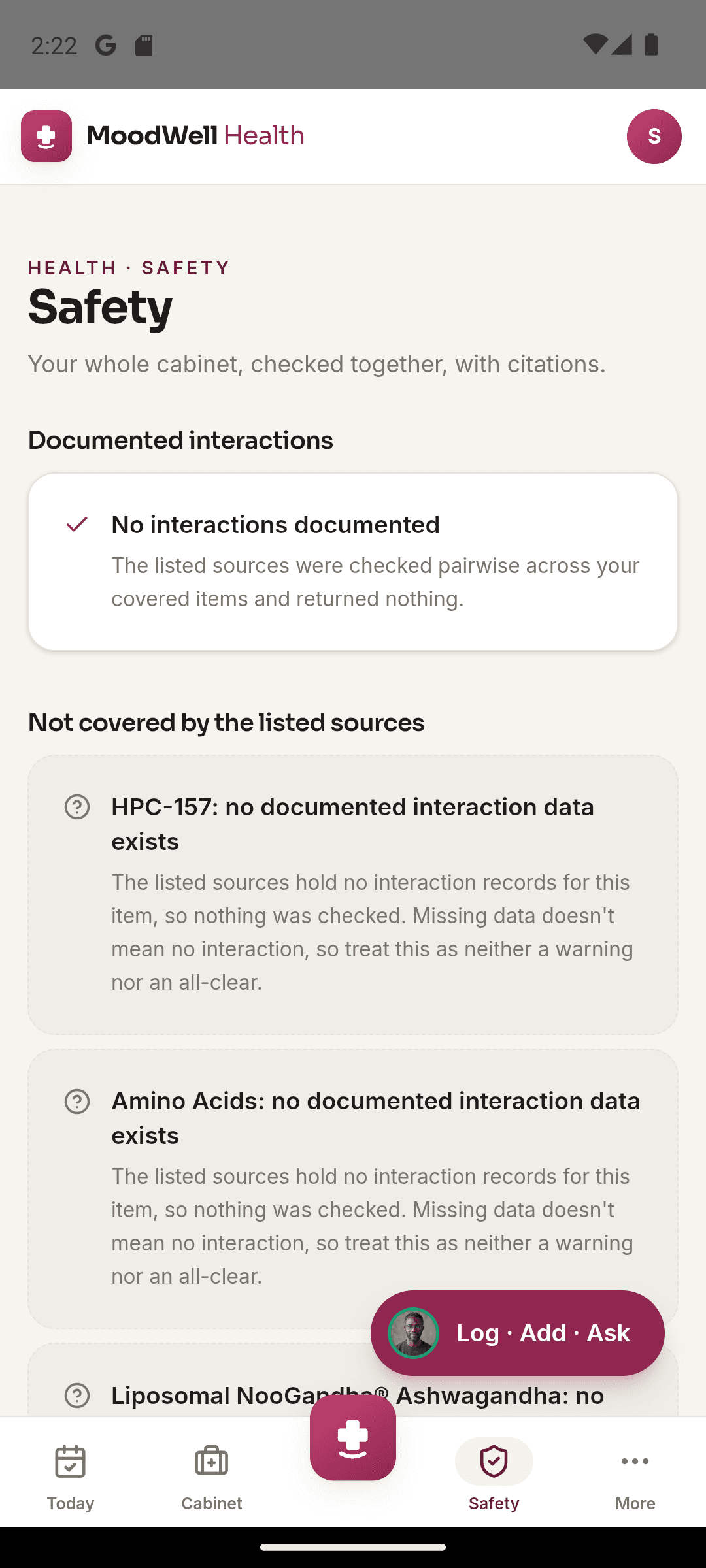
Review documented interaction findings for your saved Health items and compare declared allergens with ingredient information. Moodwell also shows items with incomplete source data so you can see what has not been fully checked.
What it helps you do
What can you do with Interaction and allergen checks?
Read the finding and its source
Review the information behind a documented interaction instead of seeing an unexplained flag.
Compare your declared allergens
Check saved allergen information against ingredient data attached to your items.
Know where coverage ends
Identify items that need a label check or a conversation with your pharmacist.
Step by step
How Interaction and allergen checks works
Confirm your saved items
Check medication names, supplement ingredients and declared allergens for accuracy.
Review findings and coverage
Open Health safety information to see documented results and items with incomplete data.
Take details to a professional
Use the finding and source information to prepare questions for a pharmacist or clinician.
Inside the app · Interaction and allergen checks
Understand what was checked and where the gaps are.
A useful safety view makes its coverage visible. Read documented findings and their sources, and see which items still lack the ingredient or source information needed for a fuller check.
- Review documented interaction findings for your saved Health items.
- Compare declared allergens with the ingredient data attached to an item.
- Distinguish incomplete coverage from a check that found no documented result.
- Use the finding and its source to prepare questions for a pharmacist or clinician.
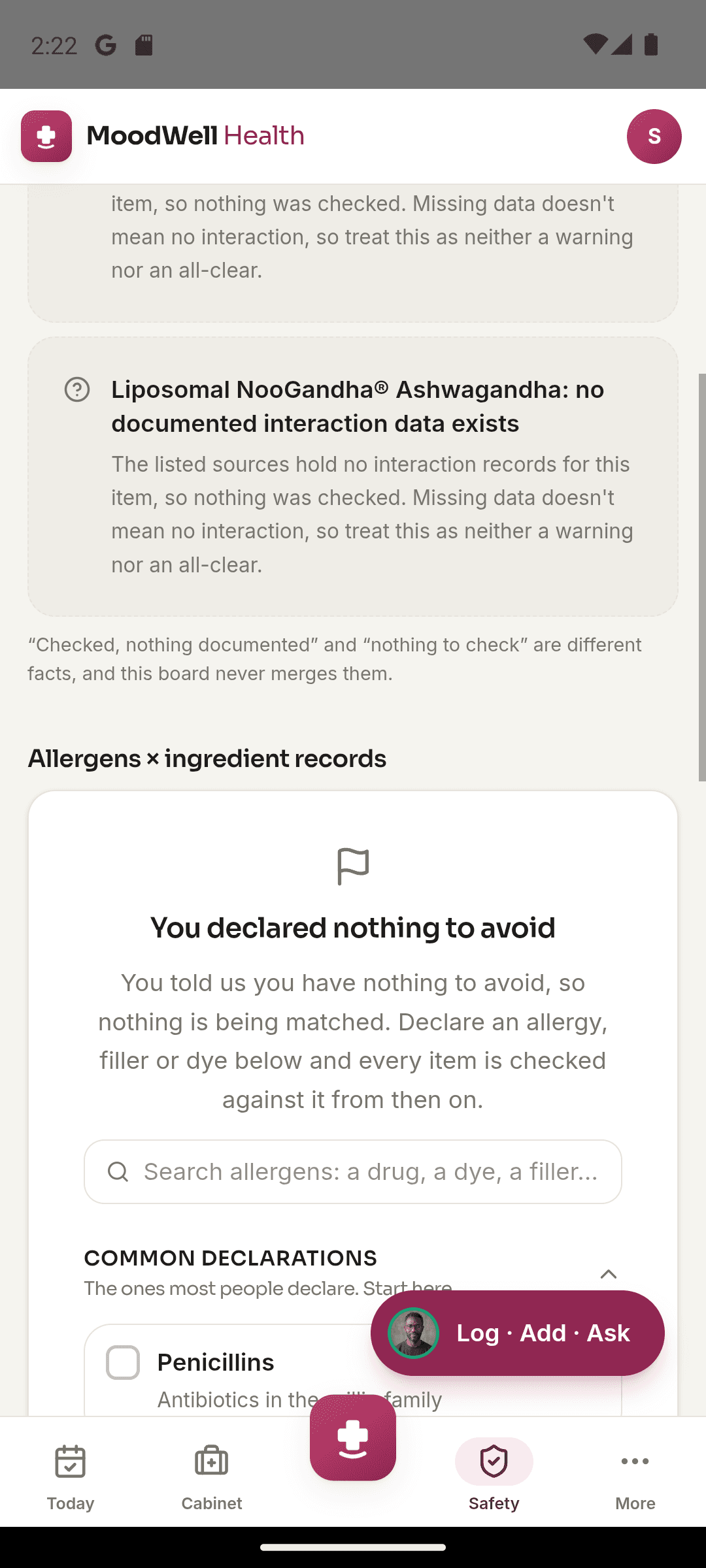
Keep safety information close to the source record
Return to the cabinet item to correct details or review the original label context.
Before you start
Availability and things to know
Where you can use it
- Available on Android
- Available in the desktop web app
Things to know
- Moodwell cannot rule out interactions, contraindications or allergens when information is missing.
- This information does not replace a pharmacist, clinician or emergency service.
Keep exploring
More in Moodwell Health.
Medication tracker
Keep medications in a digital cabinet, save your prescribed schedule and log doses in Moodwell. See what is due today, revisit past doses and keep supply details with each item.
Supplement tracker
Save supplement labels, ingredient details and schedules in Moodwell's Health cabinet. Log what you take and revisit the product, nutrient information and recorded use in one place.
GLP-1 tracker
Record GLP-1 injections with dose, date, time and injection site in Moodwell. Keep symptoms, weight history, schedules and supply nearby, and bring existing records across with a Shotsy file import.
Peptide tracker
Organize peptide items, vial information, schedules and recorded cycles in Moodwell. Keep dose history and supply records together, with calculators for working from the information you enter.
Get started with Interaction and allergen checks.
Choose a mobile platform to see its current release, beta, or waitlist option.
Questions, answered
Interaction and allergen checks, explained.
Read findings alongside their sources and coverage. Missing information is part of the result, not a safety clearance.
Explore all FAQsWhat does an interaction check in Moodwell tell me?
It shows documented findings from the source information available for your saved items. It also identifies gaps where an item could not be fully checked.
Does no interaction found mean my combination is safe?
No. Source data may be incomplete, and absence of a finding cannot rule out an interaction. Ask a pharmacist or clinician about your combination.
How do allergen checks work?
Moodwell compares declared allergens with the ingredient information saved for an item. Missing or incorrect ingredient data limits the check, so always review the product label.