Your wellbeing dashboard, with the week in view.
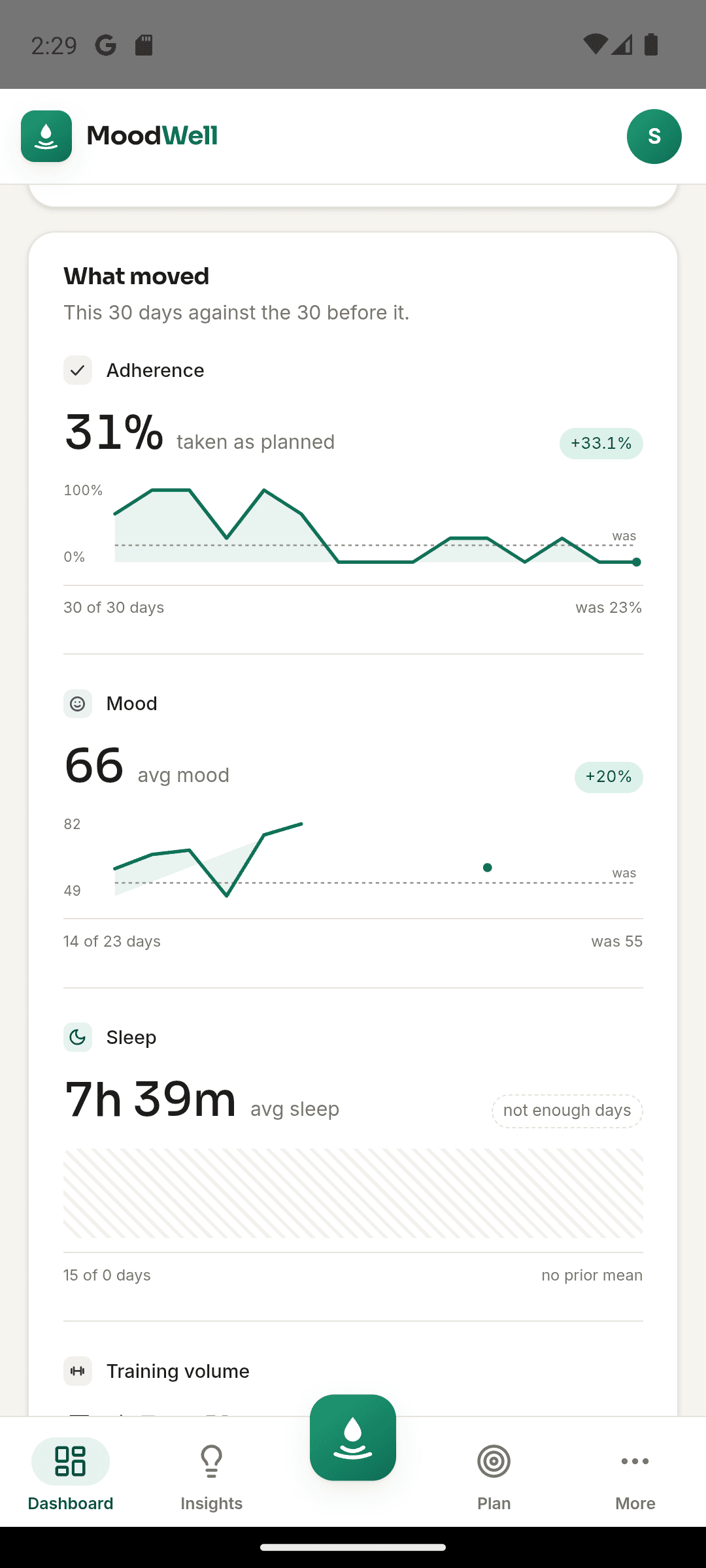
Moodwell brings workout activity, nutrition records and mood check-ins into one wellbeing dashboard. Compare periods, review your timeline and follow a change back to the entries behind it.
What it helps you do
What can you do with Connected wellbeing dashboard?
See more than one tracker
Review training, food logging and mindfulness activity together when you want to understand how your week is going.
Compare this period with the last
Look at changes across days or weeks instead of judging your routine by a single day.
Find the entries behind a trend
Use the activity timeline and streaks to revisit what you logged and when.
Step by step
How Connected wellbeing dashboard works
Build your record
Log workouts, food and mood check-ins in the layers you use. You do not need to fill every layer to start.
Choose a period to review
Open the dashboard to compare your tracked activity with the preceding period.
Look more closely
Follow a change into your history, then decide whether there is something you want to repeat or adjust.
Inside the app · Connected wellbeing dashboard
See the week. Understand the entries behind it.
Your dashboard brings training, food and mood records into one view. Choose a period, compare it with the one before and return to the activity that gives a change its context.
- Review workout activity, nutrition records and mood check-ins together.
- Compare days or weeks with the preceding period.
- Use the activity timeline to revisit what you logged and when.
- Start with the layers you use and build a fuller picture as you log.
Turn the overview into a plan
Move from the dashboard into your week when a pattern suggests something worth scheduling.
Before you start
Availability and things to know
Where you can use it
- Available on Android
- Available in the desktop web app
Things to know
- The dashboard reflects the data you choose to record or connect.
- A visible pattern can suggest a question; it does not establish a cause.
Keep exploring
More ways to use Moodwell.
Daily Insights
Moodwell Daily Insights brings your meals, workouts, health records and reflections into a view of today. See what you have recorded, what is planned and which part of your routine needs your attention next.
Weekly wellbeing planner
Moodwell puts planned workouts, meals, health schedules and personal commitments in one weekly planner. Open a day to see the detail and keep your plans separate from the activity you have completed.
AI wellbeing coach
Meet the 13 Moodwell AI coaches. Explore their personalities, specialties and example voices, then choose a coaching style for your everyday routine.
Get started with Connected wellbeing dashboard.
Choose a mobile platform to see its current release, beta, or waitlist option.
Questions, answered
Connected wellbeing dashboard, explained.
Read the patterns in your logged activity, understand missing data, and know where the dashboard stops short of an explanation.
Explore all FAQsWhy does my dashboard look sparse when I first start?
The dashboard is built from the activity you record in Fitness, Nutrition, and Mindfulness. With only a few entries, there is less history to summarize or compare. Begin with the records you actually find useful, then review a period that includes those entries. A blank day means there is no record to show, not that nothing happened.
See how a single day comes togetherHow is the dashboard different from Daily Insights?
The dashboard helps you look across a period of time. Daily Insights focuses on one day: its recorded activity, schedules and possible next steps.
Can Moodwell tell me what caused a change in my mood?
No. Patterns can help you form questions, but they do not establish cause. Medication and supplement records are excluded from cross-layer correlations.