Daily Insights for the day you are having.
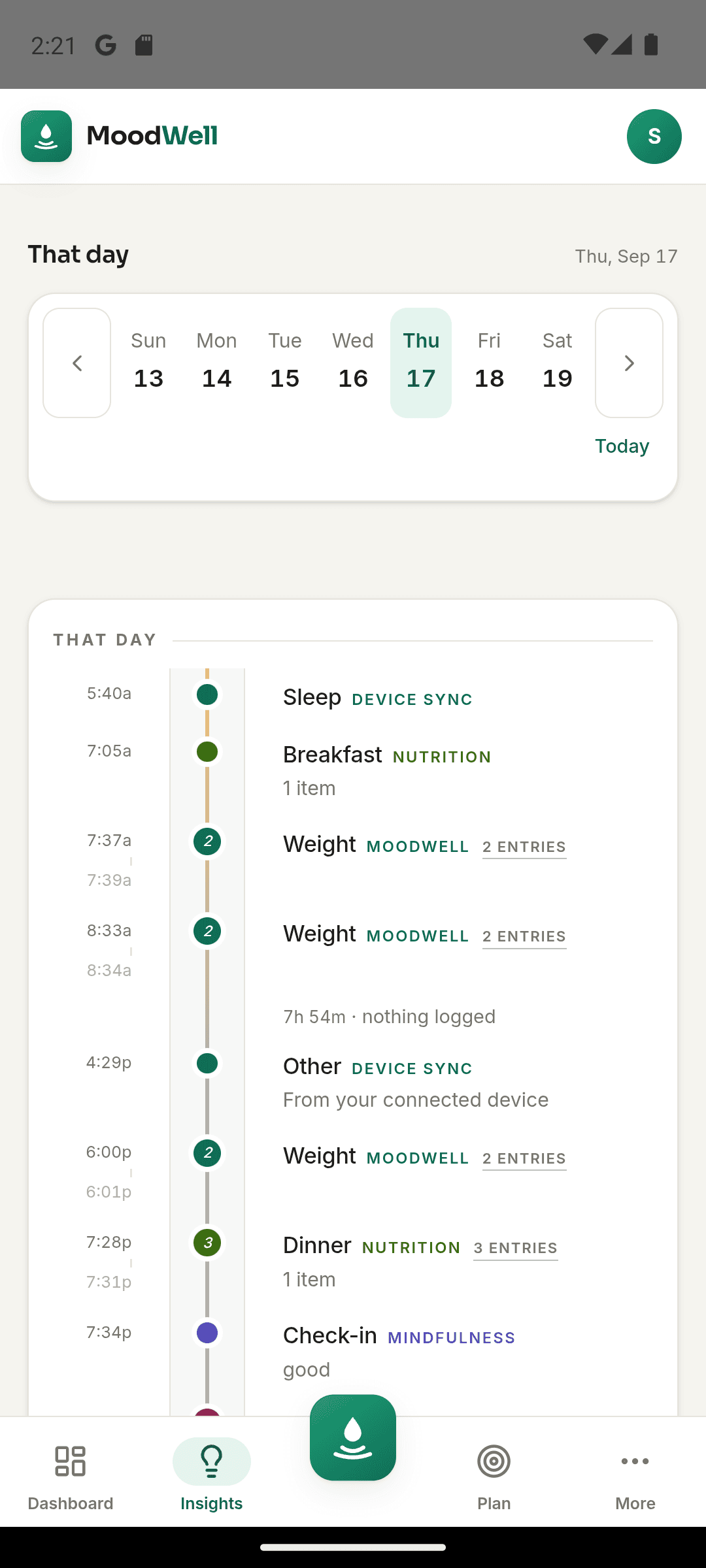
Moodwell Daily Insights brings your meals, workouts, health records and reflections into a view of today. See what you have recorded, what is planned and which part of your routine needs your attention next.
What it helps you do
What can you do with Daily Insights?
Catch up with your day
Review today's activity without opening each tracker separately.
See where each entry belongs
Keep meals, movement, health events and reflections connected to the layer where you recorded them.
Choose your next step
Use the day's overview to return to a log, review a commitment or decide what to do next.
Step by step
How Daily Insights works
Log as the day happens
Record a meal, finish a workout, log a dose or check in with your mood.
Open Daily Insights
Review the day's records and planned items together. An empty section means there is no record yet.
Return to the relevant activity
Open the layer you need to add detail or act on a suggestion that fits your day.
Inside the app · Daily Insights
The details of your day, brought together.
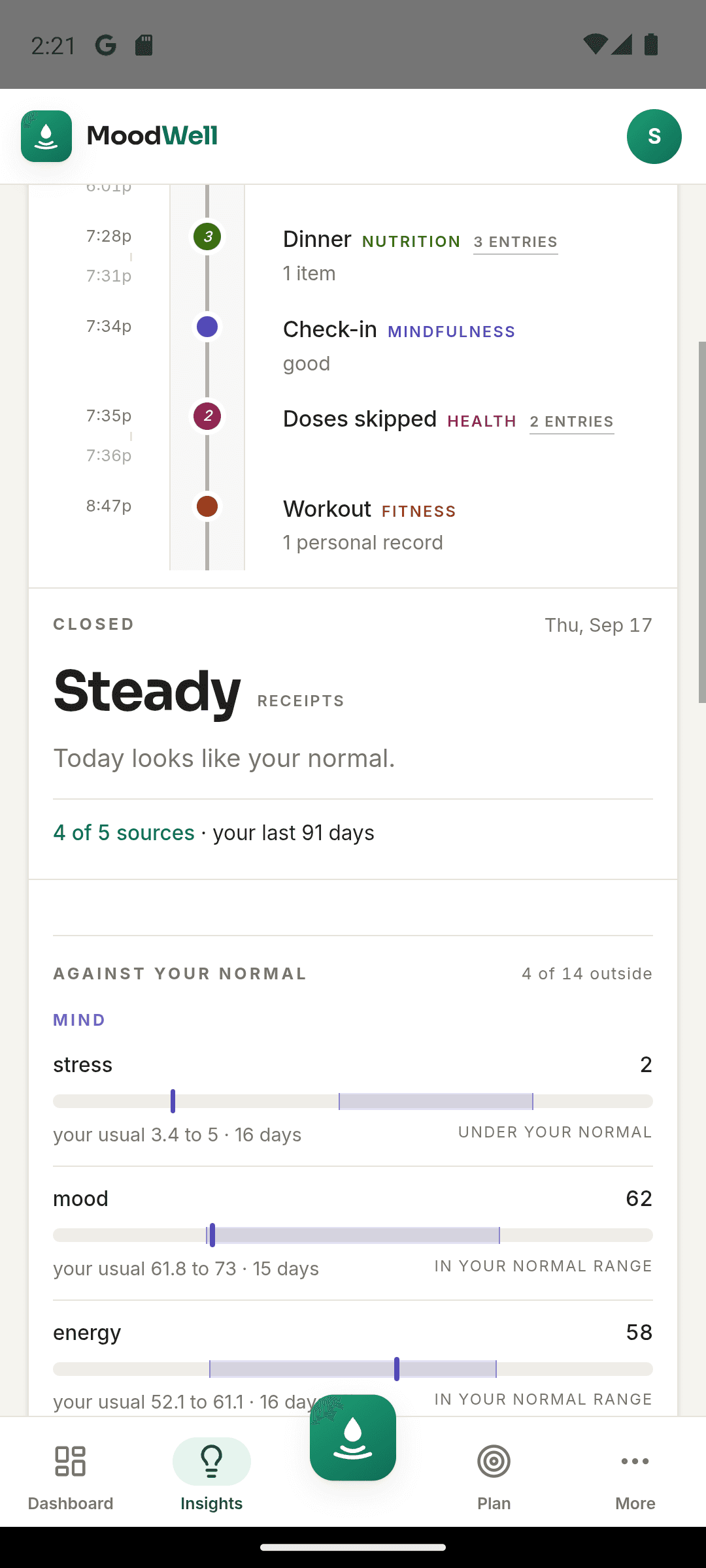
Move from the timeline into a closer look at today. Your day summary and recorded nutrition totals help you catch up, see what is still planned and choose where to go next.
- Review meals, workouts, health events and reflections in the daily view.
- Check the nutrition totals contributed by your saved food entries.
- Distinguish recorded activity from items still on your plan.
- Return to the relevant layer when you want to add or review a record.
Zoom out when you need perspective
The connected dashboard compares longer periods when one day is not enough context.
Before you start
Availability and things to know
Where you can use it
- Available on Android
- Available in the desktop web app
Things to know
- Insights depend on the records available for that day.
- Suggestions support personal planning and are not medical advice.
Keep exploring
More ways to use Moodwell.
Connected wellbeing dashboard
Moodwell brings workout activity, nutrition records and mood check-ins into one wellbeing dashboard. Compare periods, review your timeline and follow a change back to the entries behind it.
Weekly wellbeing planner
Moodwell puts planned workouts, meals, health schedules and personal commitments in one weekly planner. Open a day to see the detail and keep your plans separate from the activity you have completed.
AI wellbeing coach
Meet the 13 Moodwell AI coaches. Explore their personalities, specialties and example voices, then choose a coaching style for your everyday routine.
Get started with Daily Insights.
Choose a mobile platform to see its current release, beta, or waitlist option.
Questions, answered
Daily Insights, explained.
Make sense of one day at a time, including the difference between what you planned and what you recorded.
Explore all FAQsDoes an item in Daily Insights mean I completed it?
Not necessarily. A day can contain recorded activity as well as scheduled items and plans. Review the underlying meal, workout, health event, or reflection to understand its status. Planning a meal or workout does not create a completed food or exercise record.
Understand the weekly plannerDo I have to log every part of my day?
No. Start with the layers you use. More records give the daily view more context, but a missing log is not proof that an activity did not happen.
Are health records used to explain mood or food patterns?
Medication and supplement events can appear in shared day views, but they are excluded from Moodwell's cross-layer correlation engine.