Nutrition, Food tracker
Choose food records that match how you measured the food
Match the food record’s preparation state to the state in which you measured it. Do not combine a raw-food amount with a cooked-food record or assume one universal conversion between the two. If you weighed it before cooking, pick the uncooked record; if you measured the finished food, pick the prepared one.
Should you log food raw or cooked?
Log it in the state you measured it, and pick the record that matches. Food descriptions can look repetitive until you read their qualifiers. Raw, cooked, dry, drained and prepared describe different records. USDA FoodData Central documentation identifies characteristics such as raw or cooked as part of a food’s description. Treat those words as selection criteria rather than background detail.
Start by asking when the amount was measured. If you weighed an ingredient before cooking, look for the corresponding uncooked record. If you measured the finished food on your plate, look for a record that describes that prepared form. Consistent naming makes a repeated recipe easier to understand later.
As for weighing before or after cooking: either works as long as the record matches. Weighing dry ingredients is easier for a batch you divide later; weighing the cooked plate is easier for a single serving. Pick one method per dish.
Can you convert raw weight to cooked weight?
Not reliably, because cooking methods differ. There is no need to create a conversion when you can select a record that matches the food you measured. Cooking methods and the final preparation can differ. A ratio remembered from another meal is not evidence for this particular ingredient. Choose the matching description instead of converting by habit.
Moodwell won’t do the conversion for you. It stores the record you pick, scaled per 100 g, and applies your multiplier. The conversion, if you need one, happens in your kitchen notes before you log.
For a homemade recipe, record the ingredients and measured amounts in your own kitchen notes, then work out the share you ate. This calculation happens outside Moodwell. Log the corresponding ingredient foods and amounts in the diary. Avoid mixing raw quantities with unrelated cooked serving assumptions simply because one description was easier to find.
Rice weighed dry, or weighed cooked
You measure 80 g of dry rice before preparing a pot and write that quantity in your kitchen notes. If you eat one quarter of that evenly divided batch, your ingredient calculation is 20 g of dry rice. Alternatively, weigh your cooked portion and use a matching cooked-food record for that measured amount.
Do not enter a dry amount against a cooked record and expect it to describe the original ingredient. Choose one method: log the ingredient amount calculated from your notes, or log a matching prepared food. Logging both for the same rice would count it twice. Moodwell does not perform a recipe-serving calculation for you.
Before choosing a result for either stage, match four details:
- Read whether the food is raw, dry, cooked or otherwise prepared. Make that agree with the point at which you measured the amount.
- Check additional descriptors such as drained or with sauce. They help distinguish foods that share a basic name.
- Inspect the serving unit. A measured weight and a loosely described cup may refer to different reference amounts.
- Decide whether this is an ingredient in a recipe or a separately logged food. Keep a single representation for the amount you actually ate.
Where preparation state shows up in the app
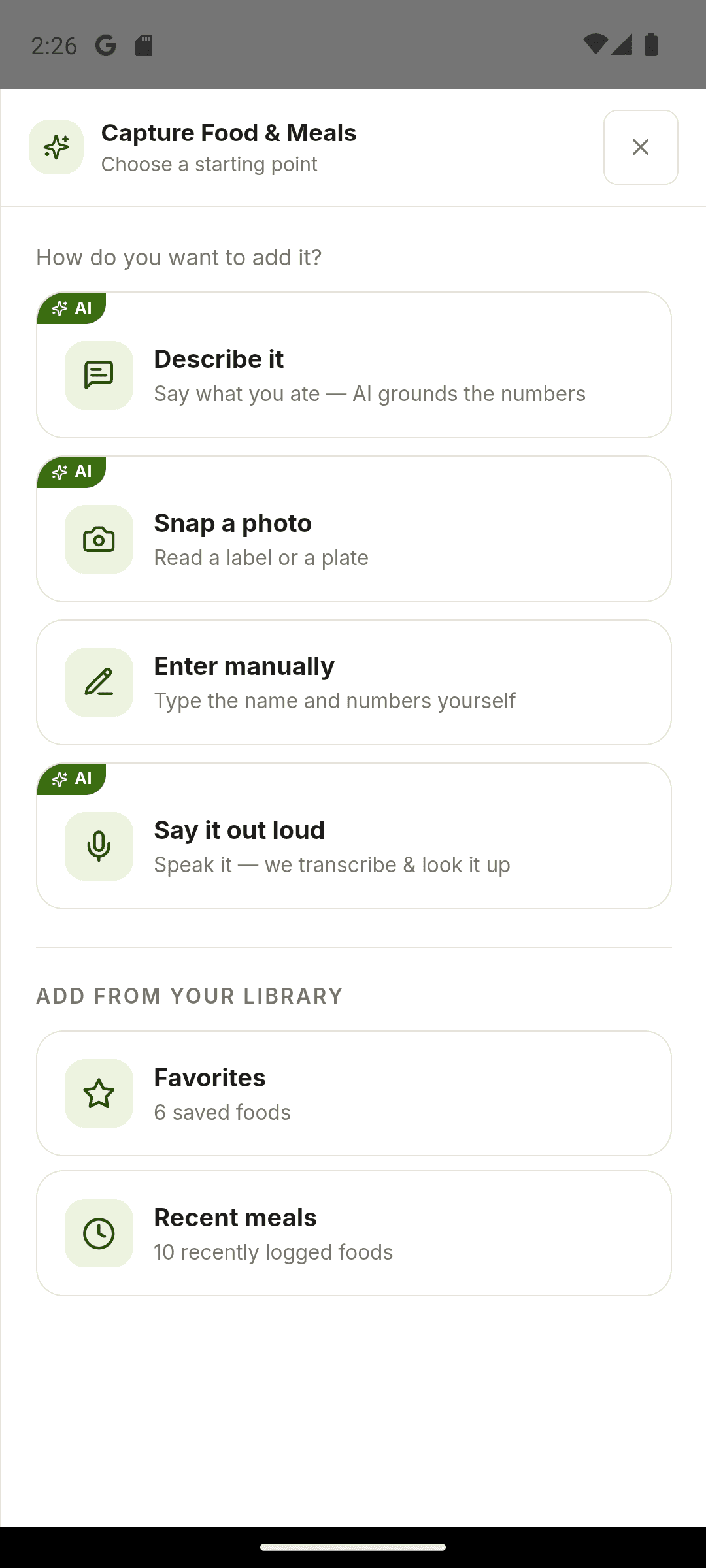
Moodwell doesn’t convert between raw and cooked weights, and there is no recipe builder to hold a batch of ingredients. The capture panel asks “Where’s it from?” with Homemade and Fresh food among the choices, and a description can carry the state (“80 g dry rice” or “150 g cooked rice”) so the lookup matches the right record. A “Describe it”, photo or voice lookup costs 1 credit, and the result can’t be edited before “Add to diary”. A record that came back as cooked when you measured dry means re-running for another credit or switching to manual entry.
Manual entry is where the two states are easiest to keep straight, and it’s free. The form takes “Food name”, “Serving (g)”, calories, Protein, Carbs and Fat, and stores them per 100 g. Name the entry by its state, such as “rice, dry” or “rice, cooked”, and type the serving in the grams you weighed. The 1× reference then means exactly the amount in your notes.
- If the lookup returns a cooked record when you measured dry, the result screen can’t be changed. Re-run the lookup with the state in the description for another credit, or enter the dry food manually with its gram serving for free.
- The slider can’t take grams directly. If one portion of your batch works out to 20 g of dry rice and the record’s serving is 80 g, that is 0.25×, the smallest step. A 15 g share would have to round.
- An entry’s name in the diary is whatever the record or your manual “Food name” says, so a word like “cooked” in the name is the only reminder of which state you logged.
- A row can be removed with “Remove entry” but not edited, so a dry amount logged against a cooked record has to be removed and added again.
Make the next preparation easier to document
When you find a useful matching food, reuse it for the same preparation. Keep recipe versions clearly named in your own kitchen notes. If you change ingredient quantities, review those notes before logging the ingredient amounts again. The benefit is consistency in your records, not a claim that a homemade portion has precisely measured nutrient content.
Foods you have logged appear under “Recent meals”, and individual foods can be favorited, so you can add the same record again on later days for free. There is no saved recipe or meal bundle.
Sources and further reading
Related Moodwell feature
Review the food before it reaches your diary
Capture foods by photo, voice, description or manual entry, then confirm the match and portion.
Explore food tracking