
Food tracking by photo, barcode, voice or manual entry.
Log meals in Moodwell using search, barcode scanning, a photo, your voice or a written description. Review the food and portion before saving, then see calories and macros in your daily food diary.
What it helps you do
What can you do with Food tracker?
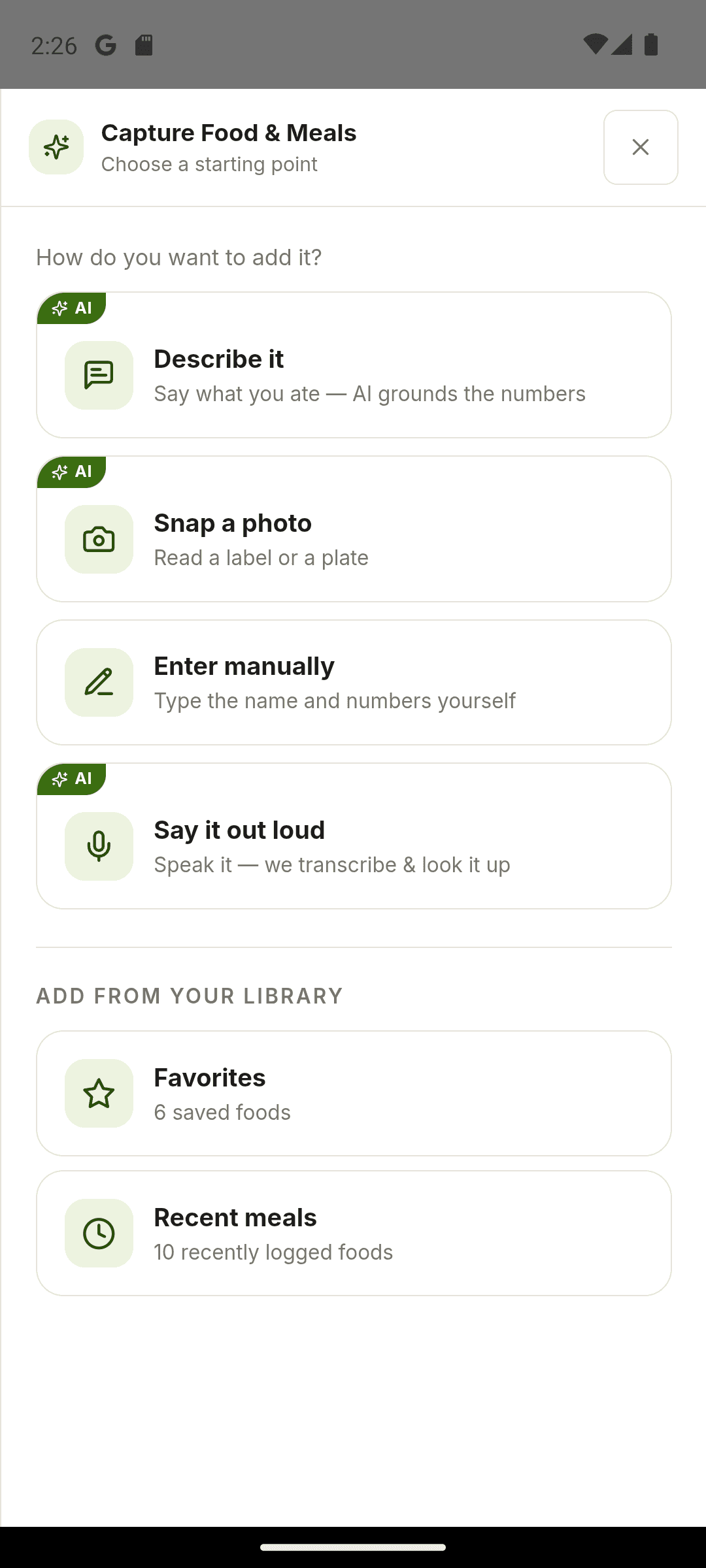
Choose how to log this meal
Scan a packaged food, describe a mixed plate or enter a known food manually.
Check the portion before saving
Review the match, quantity and nutrition details so the diary reflects what you ate.
Make repeat meals quicker
Use favorites and recent foods when the same items return to your plate.
Step by step
How Food tracker works
Find or capture the food
Search, scan a barcode, take a photo, speak or write a description of your meal.
Check the result
Confirm the food and adjust its portion. Compare packaged products with their labels when needed.
Save to your food diary
Choose the meal and save the entry. Its calories and macros contribute to the day's totals.
Inside the app · Food tracker
See how every meal contributes to your day.
Your food diary turns reviewed entries into a clear daily record. See the meals you saved alongside their calories and macros, with portion details that keep the totals meaningful.
- Choose search, barcode, photo, voice or a written description to capture food.
- Confirm the food match and portion before saving an entry.
- Review saved meals and the calories, protein, carbohydrates and fat they contribute.
- Use favorites and recent foods to make familiar meals quicker to log.
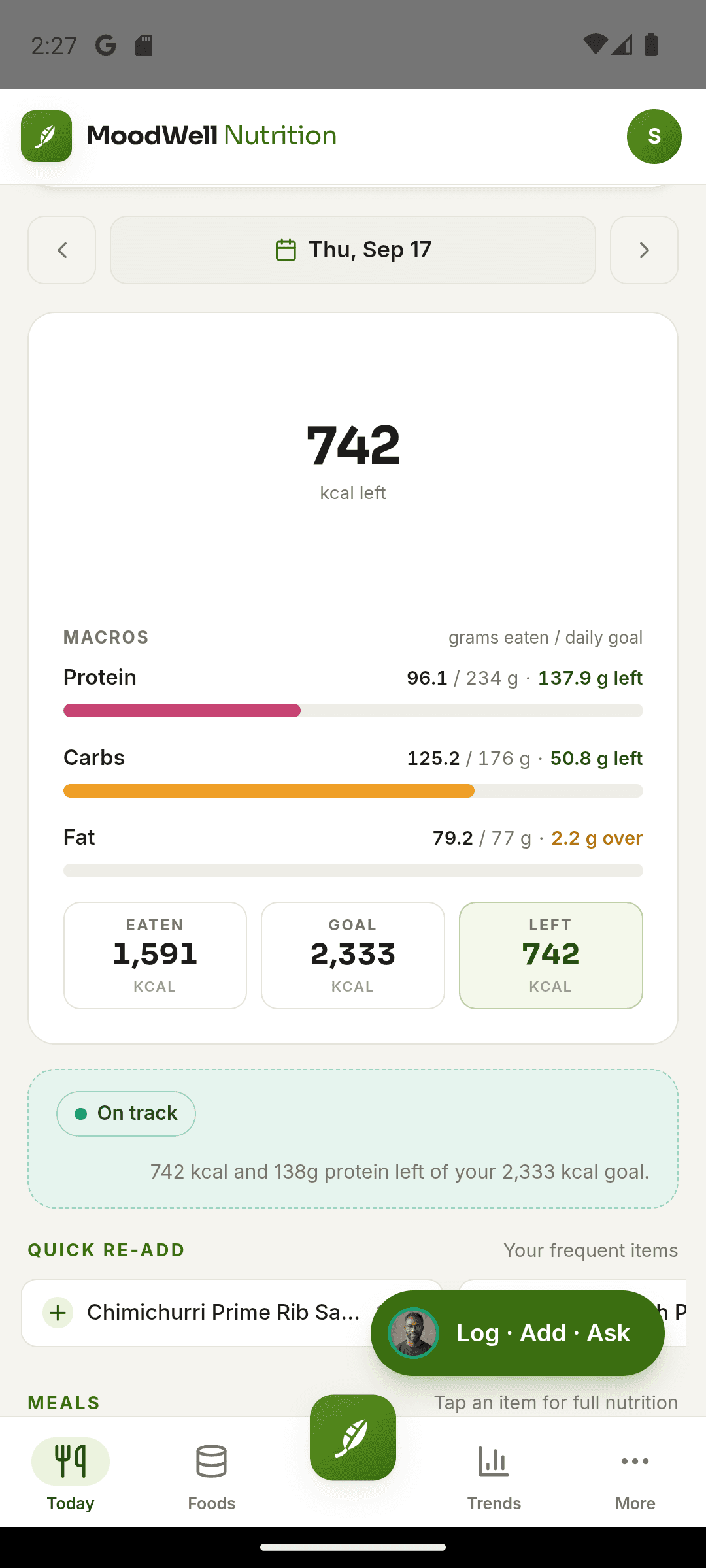
Let the confirmed meal update your day
Saved foods contribute to the day’s nutrition totals and can appear in your wider daily context.
Before you start
Availability and things to know
Where you can use it
- Available on Android
- Available in the desktop web app
Things to know
- Photo, voice and description capture use AI credits.
- Barcode and AI results depend on source data and your review; they may be incomplete or wrong.
Keep exploring
More in Moodwell Nutrition.
Calorie and macro targets
Set the daily calorie, protein, carbohydrate and fat targets behind your Moodwell food diary. Review coaching modes, edit macro grams and see meal suggestions based on what remains in your day.
Recipes and meal planning
Build recipes and saved meals from your foods in Moodwell. Check ingredient quantities and nutrition per serving, reuse common combinations and add meals to your weekly planner.
Get started with Food tracker.
Choose a mobile platform to see its current release, beta, or waitlist option.
Questions, answered
Food tracker, explained.
Choose a logging method, check the portion, and understand which steps use AI credits.
Explore all FAQsWhat is a good way to log my first meal?
Choose the method that fits the food in front of you: search for an item, scan a packaged food barcode, enter it manually, or use an AI photo, voice, or description capture. Review the food and portion before saving. For meals you eat again, recent entries, favorites, and saved recipes can reduce repeat entry.
Save meals you repeatWhat should I check after an AI food capture?
Check that the food matches what you ate, then review the portion and any ingredients the capture could not see, such as oils, sauces, or fillings. Correct those details before saving. A photo or description provides an estimate, and the calorie and macro totals depend on the food and quantity recorded.
Which food logging methods use AI credits?
Photo, voice and description capture use AI credits. You can also log through manual entry and food search without asking AI to interpret a meal.