Fitness, Workout tracker
Log supersets and circuits without losing your place
Link movements in a routine or a live workout, follow the order Moodwell runs them in, and know what the saved record keeps.
In brief
Tap Superset with next on a movement to link it with the one below. Two linked movements are a superset; three or more are a circuit. During the workout the logger moves through the group in list order after each set, with no rest inside a superset, a fixed 20-second rest between circuit stations, and your normal rest after each round.
What linking two movements changes
A superset alternates sets between two movements instead of finishing one before starting the next. In Moodwell you create one by linking neighboring movements. Link a third and the group becomes a circuit. You don’t pick the label yourself: two members is a superset, three or more is a circuit.
Linking changes the order you log in and how rest works. It doesn’t change the exercises or their targets, with one exception: if the linked movements have different numbers of working sets, Moodwell raises the smaller count to match so every round has a set of each movement. It only ever adds sets. Reps and weights stay as you set them for each movement.
Set up the group in your routine
Linking joins a movement to the one directly below it, so put the movements in order first. You can drag a movement by its handle to move it.
- 1
Order the movements
Arrange the routine so the movements you want to alternate sit next to each other.
- 2
Link the first pair
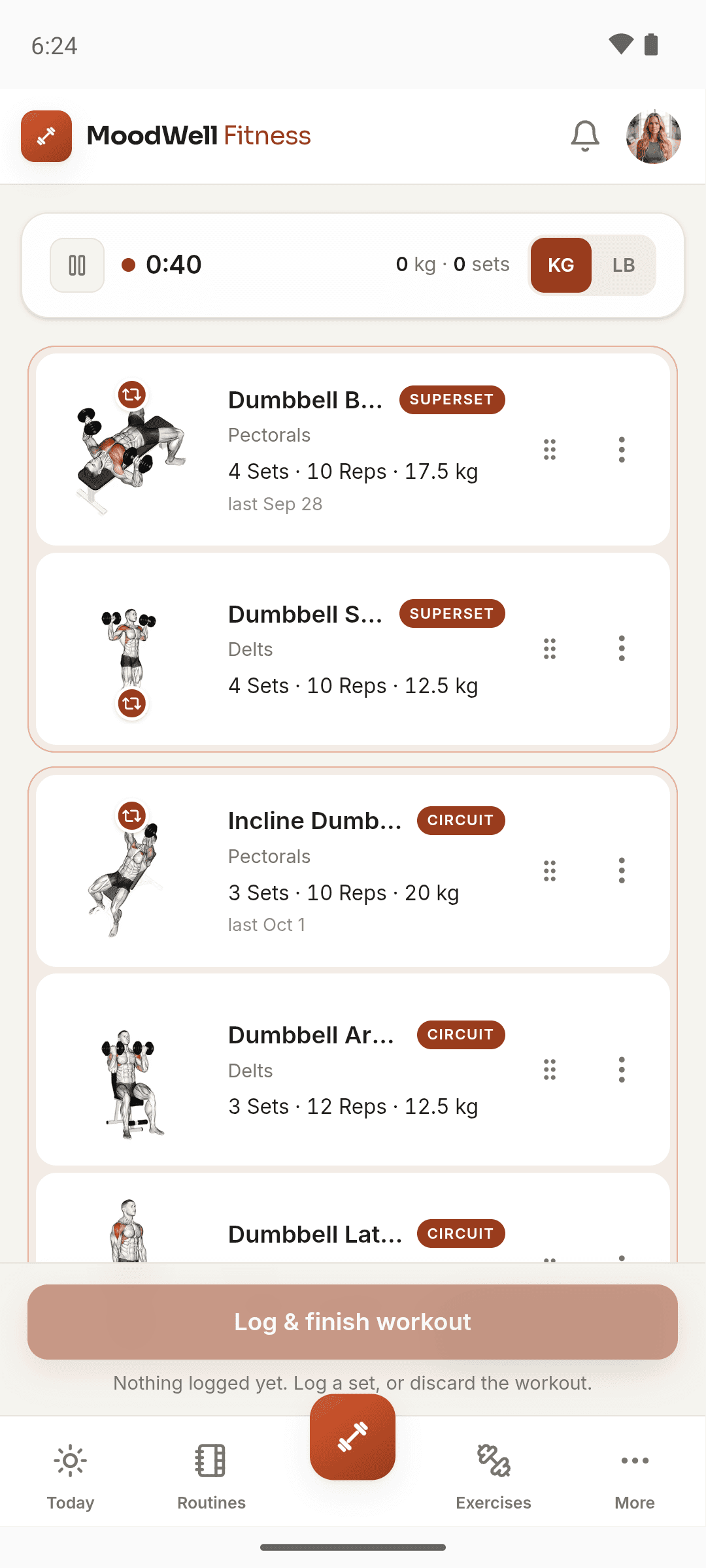
On the first movement, tap Superset with next. The two cards are tinted and marked SUPERSET.
- 3
Add a station if you want a circuit
Tap Superset with next on the second movement to bring in the third. The label changes to CIRCUIT.
- 4
Adjust by dragging
Drop a movement between two linked movements to join the group, or drag it out to leave. Unlink removes a movement from its group.
Some program templates, such as Arnold Split, describe lifts done back to back. Those routines arrive unlinked, so link the pairs yourself if you want the logger to run them as supersets.
Change the grouping in the middle of a workout
You can also group movements during a live session. Open a movement’s options menu and choose Superset with next, or Remove from group to take it out. The routine you started from stays as it was.
Removing a movement from a group never touches the sets you have already logged. Linking can add sets to even out the counts, but it never removes a completed one.
Follow the order the logger uses
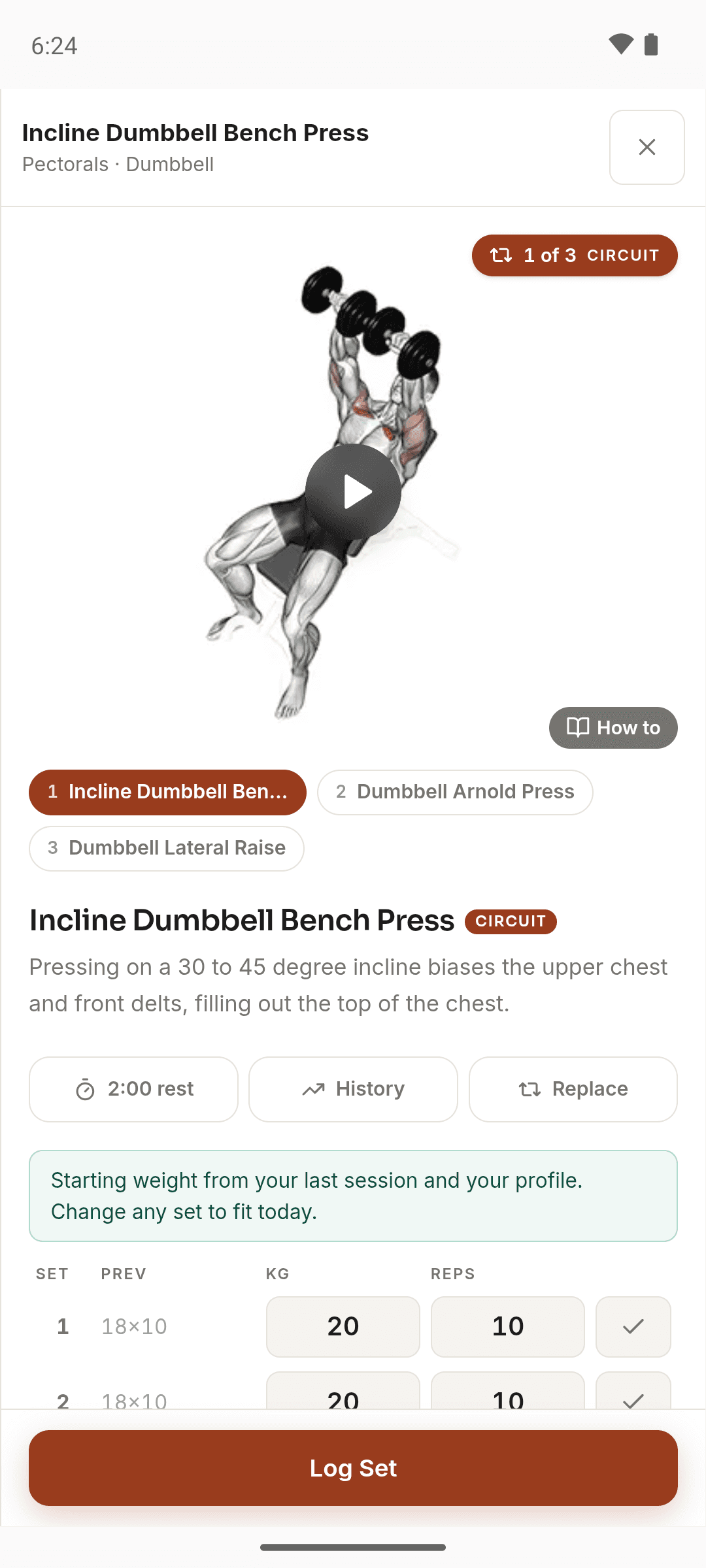
Tap any movement in the group to open it. A badge such as “1 of 3 · CIRCUIT” shows where you are, and numbered chips let you jump to another movement. Each movement’s warm-up sets come first, in list order. After that the working sets rotate: A, then B, then C, then back to A. When you log a set, the logger moves to the next movement that still has sets left.
In a group you log one set at a time, so Log All Sets is hidden. When you finish a movement’s last set, Moodwell asks how many more reps you could have done before it moves on. You can answer or skip it.
- Inside a superset there is no rest timer between the two movements.
- Between circuit stations there is a fixed 20-second rest. It runs even if your rest timer is turned off.
- After the last movement in the group, the round rest uses that movement’s rest setting, or your default rest timer if it has none.
- When every movement in the group is done, the button at the bottom changes to Finish Workout, which ends the whole session. If other movements are still waiting, go back to the workout and open the next one instead.
Example: a press and row superset, then a short circuit
Say your routine has a dumbbell bench press and a dumbbell row linked as a superset, three sets each, followed by a circuit of goblet squats, lunges and a plank. You press, log the set, and the drawer flips straight to the row with no timer. After the row comes your normal rest, then press again. Three rounds later, both movements are done.
In the circuit, each logged station starts a 20-second rest before the next one. After the plank, the round rest begins. If the plank had two sets and the squats three when you linked them, the plank now has three too, so each round includes all three stations.
Know what the saved workout shows
Workout history and the session summary list your exercises and sets, but they don’t show which movements were linked. If the grouping matters when you look back, say so in a short session note, for example “Press and row as a superset, 90 seconds between rounds.”
The Trophy Case does count them. Chained tracks supersets in the workouts you finish, and Circuit Rider tracks circuits of three or more stations.
Related Moodwell feature
Run linked movements in a live workout
Link movements in a routine or mid-session, then log each set in the order Moodwell runs them.
Explore the workout tracker