
A workout tracker for every set, rep and weight.
Log strength workouts in Moodwell as you train. Record exercises, sets, reps and weights, finish with a session summary and return to your workout history before your next session.
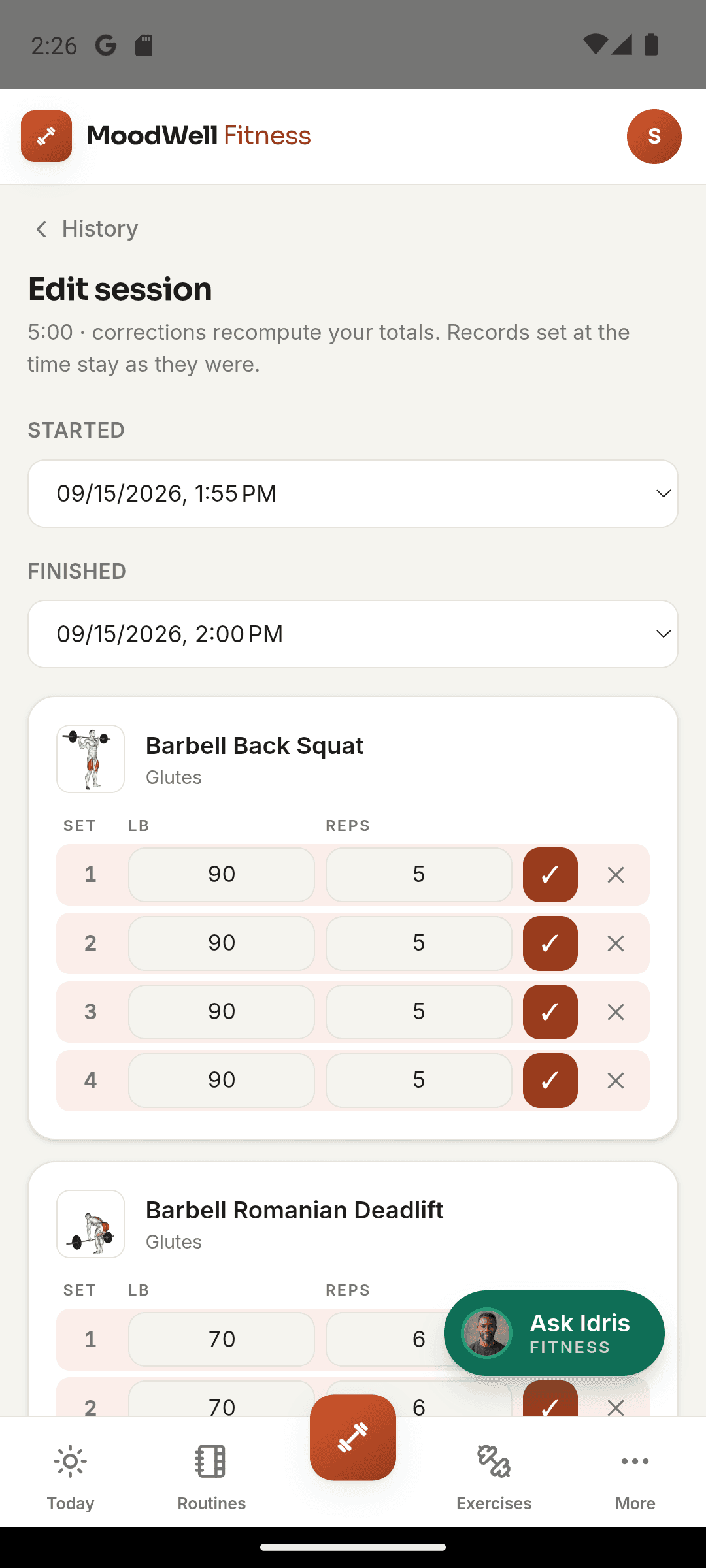
What it helps you do
What can you do with Workout tracker?
Keep the session in front of you
Move through exercises and sets in one active workout instead of switching between notes.
Remember your last workout
Return to previous sessions to see the reps and weights you recorded.
Build a training history
Completed workouts give you a record to review as your strength and routine change.
Step by step
How Workout tracker works
Start your session
Begin a workout from a routine or start a session and choose your exercises.
Log each set
Enter the reps and weight you completed, then move to the next set or exercise.
Finish and review
Check the completed workout summary and save the session to your history.
Inside the app · Workout tracker
Your next session starts with what you learned last time.
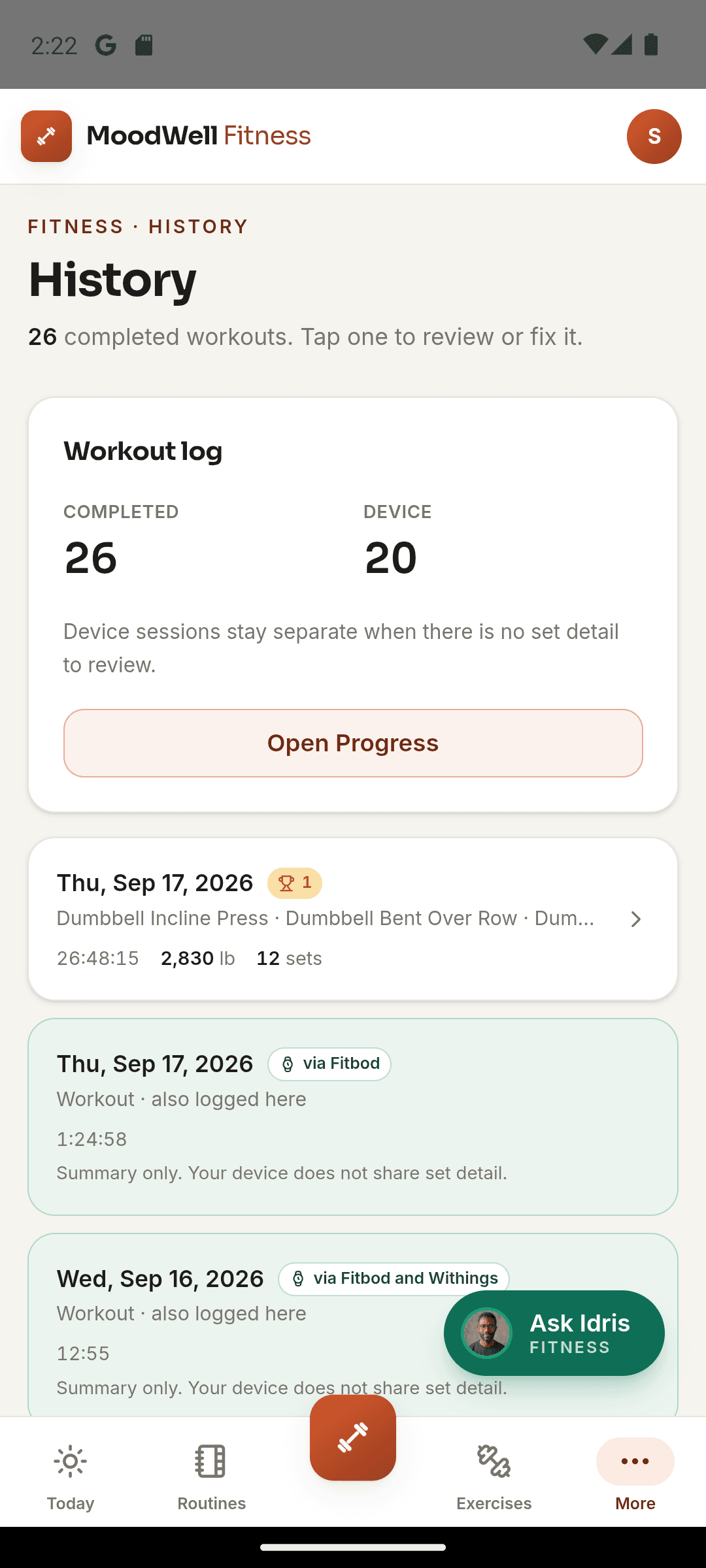
Completed workouts become a training record you can actually use. Open your history to revisit exercises, sets and recorded volume before deciding how to approach the next session.
- Find completed sessions together in your workout history.
- Review the exercises and sets saved with each workout.
- Look back at recorded weights and reps before you train again.
- Use session summaries and training volume to put your effort in context.
Let the workout inform the week
Completed sessions feed Fitness history, while planned sessions remain visible in the weekly plan.
Before you start
Availability and things to know
Where you can use it
- Available on Android
- Available in the desktop web app
Things to know
- Set, rep and weight records reflect the values you enter during the session.
Keep exploring
More in Moodwell Fitness.
Workout plans
Create workout routines from a program, with AI assistance or from scratch. Choose exercises and set targets, organize routines into folders and schedule training days in Moodwell's weekly planner.
Strength and body tracking
Use Moodwell's muscle map and movement history to explore strength trends from your logged workouts. Keep body measurements alongside your training record and review the sessions behind each change.
Exercise library
Search Moodwell's exercise library by movement name or muscle, filter by body part and equipment, and read exercise details before adding a movement to your workout routine.
Get started with Workout tracker.
Choose a mobile platform to see its current release, beta, or waitlist option.
Questions, answered
Workout tracker, explained.
From your first set to a completed session: where to start, what to record, and how to look back.
Explore all FAQsWhat should I record during a workout?
Add the exercises you perform and log the sets, reps, and weights for the session. Keep the record aligned with the work you actually do, even if that differs from the plan. Complete the session when you finish so you can review its recorded exercises and sets in your workout history.
Do I have to build a training plan before my first workout?
No. You can start a session directly and add exercises as you go. If you repeat a similar workout, a saved routine gives the next session a starting structure. You still record what you perform in that session.
Build a repeatable routineWhere can I find a previous workout?
Open Fitness workout history to return to completed sessions. Your logged sets also provide the records used in strength progress views.