
Save recipes and plan meals you want to make again.
Build recipes and saved meals from your foods in Moodwell. Check ingredient quantities and nutrition per serving, reuse common combinations and add meals to your weekly planner.
What it helps you do
What can you do with Recipes and meal planning?
Stop rebuilding the same breakfast
Save foods you eat together so they are ready the next time you log them.
Keep servings clear
Review ingredient quantities and serving count to understand the nutrition in one portion.
Give meals a place in the week
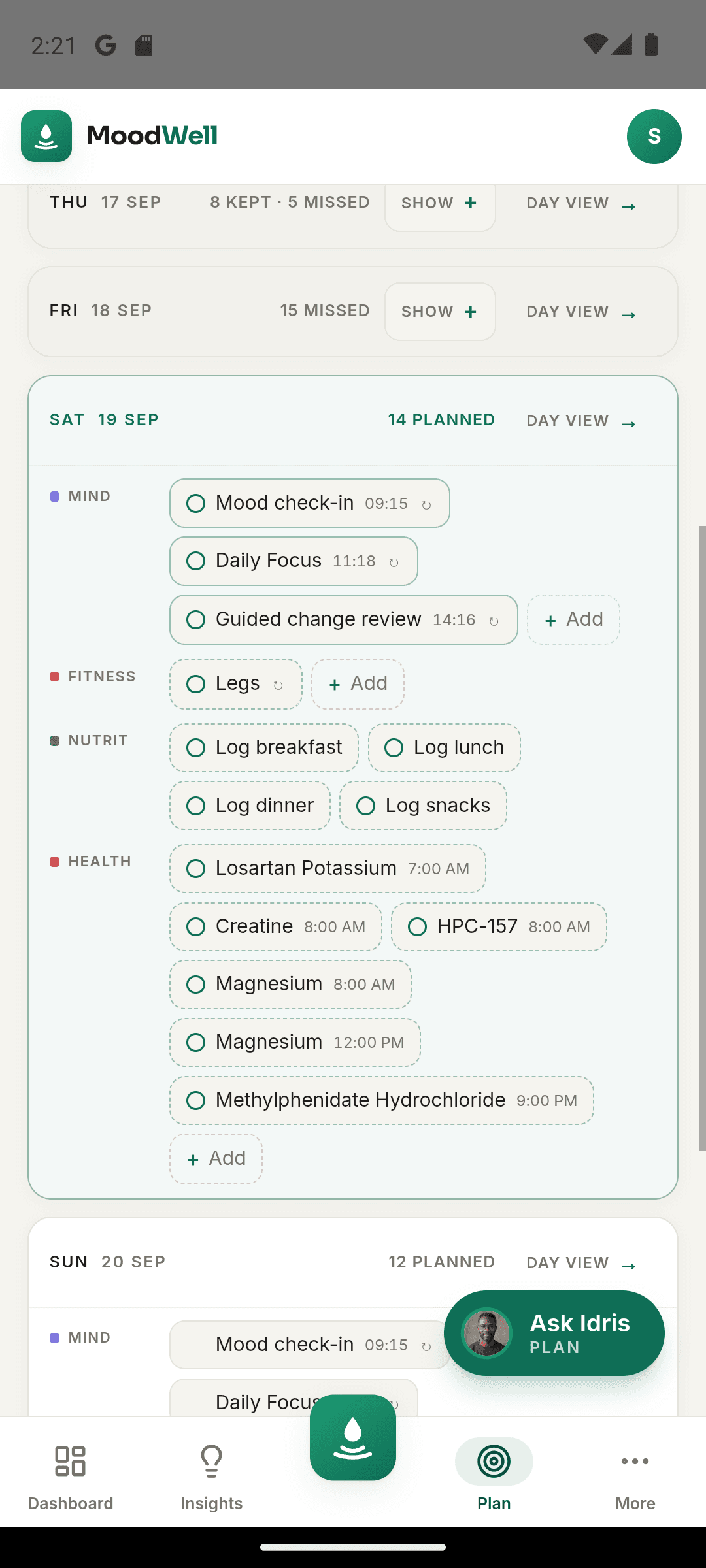
Plan saved meals alongside workouts and commitments, then log what you eat.
Step by step
How Recipes and meal planning works
Build the recipe or meal
Add foods and enter the amount of each ingredient.
Set and review the servings
Check the serving count and nutrition information before saving the combination.
Plan it or log it again
Choose the saved recipe or meal when adding food to your diary or planning a day.
Inside the app · Recipes and meal planning
Turn a meal you know into a plan you can reuse.
Build a recipe or save a combination of foods, then give it a place in your week. Ingredient quantities and servings stay part of the record when you return to log the meal again.
- Combine foods and enter the amount of each ingredient.
- Set the serving count and check nutrition per portion.
- Reuse saved recipes and meals when adding food to your diary.
- Schedule meals beside workouts and commitments in the shared planner.
Place meals beside the rest of the week
A planned meal can share the weekly view with workouts, health items and commitments.
Before you start
Availability and things to know
Where you can use it
- Available on Android
- Available in the desktop web app
Things to know
- Recipe totals depend on the ingredient records, amounts and serving count you confirm.
Keep exploring
More in Moodwell Nutrition.
Food tracker
Log meals in Moodwell using search, barcode scanning, a photo, your voice or a written description. Review the food and portion before saving, then see calories and macros in your daily food diary.
Calorie and macro targets
Set the daily calorie, protein, carbohydrate and fat targets behind your Moodwell food diary. Review coaching modes, edit macro grams and see meal suggestions based on what remains in your day.
Get started with Recipes and meal planning.
Choose a mobile platform to see its current release, beta, or waitlist option.
Questions, answered
Recipes and meal planning, explained.
Save a meal you repeat, plan it into your week, and log the amount you actually eat.
Explore all FAQsHow does saving a recipe help with meals I repeat?
Build the recipe from its ingredients, quantities, and number of servings. When you eat it again, you can use that saved combination instead of entering each ingredient separately. Check the serving amount you log, especially when the portion you eat is different from the recipe serving.
See food logging optionsDoes a planned meal add calories to today's diary?
A plan records what you intend to eat. Confirm and log the foods and portions you actually eat to update your nutrition totals.
How are recipe nutrition totals calculated?
They come from the ingredient records, quantities and serving count. Check those details because a wrong amount or food match changes the total.