
Calorie and macro targets you can understand and adjust.
Set the daily calorie, protein, carbohydrate and fat targets behind your Moodwell food diary. Review coaching modes, edit macro grams and see meal suggestions based on what remains in your day.
What it helps you do
What can you do with Calorie and macro targets?
See all your targets together
Review daily calories and protein, carbohydrate and fat grams in the same view.
Edit the numbers yourself
Adjust macro grams and check the calorie total before saving your changes.
Get meal ideas from what remains
Use the What should I eat? coach when you want suggestions to review and log.
Step by step
How Calorie and macro targets works
Review your target setup
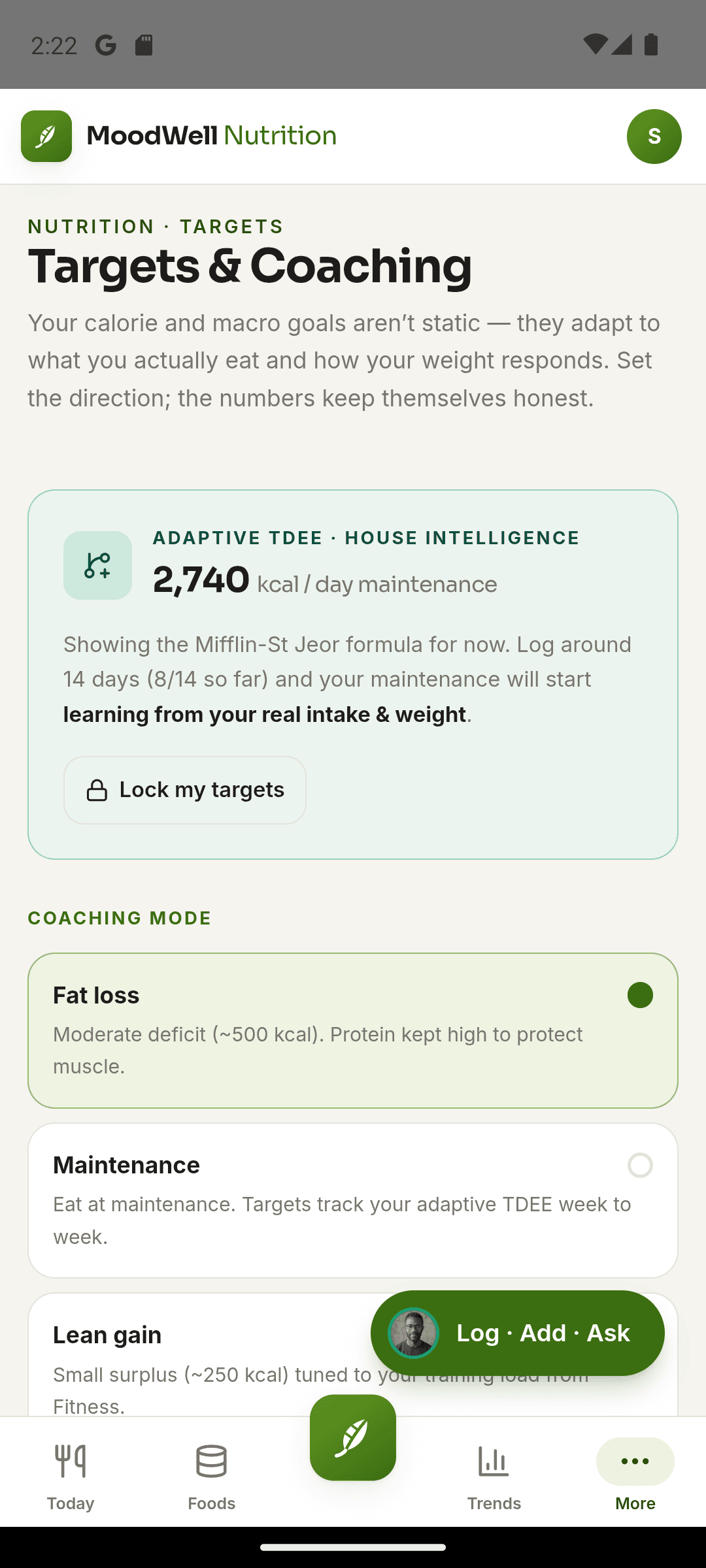
Check the profile information, coaching mode and daily targets currently in use.
Adjust your macro grams
Edit protein, carbohydrate and fat values, then review the resulting calorie total and save.
Log food against the targets
Confirmed meals update daily totals. Review what remains or request meal ideas when you need them.
Inside the app · Calorie and macro targets
Know the targets behind your daily totals.
Keep calorie and macro goals visible and editable in one place. Check your setup, adjust the grams and use your confirmed food entries to understand what remains for the day.
- Review your profile information and current nutrition coaching mode.
- See daily calories and protein, carbohydrate and fat targets together.
- Edit macro grams and review the resulting calorie total before saving.
- Request meal ideas based on what remains, then review and log your choices.
Keep targets tied to actual meals
The daily nutrition view updates from the foods and portions you confirm.
Before you start
Availability and things to know
Where you can use it
- Available on Android
- Available in the desktop web app
Things to know
- Targets and suggestions are planning tools, not medical nutrition therapy.
- Nutrition Trends is currently available in the desktop web app and coming later to Android.
Keep exploring
More in Moodwell Nutrition.
Food tracker
Log meals in Moodwell using search, barcode scanning, a photo, your voice or a written description. Review the food and portion before saving, then see calories and macros in your daily food diary.
Recipes and meal planning
Build recipes and saved meals from your foods in Moodwell. Check ingredient quantities and nutrition per serving, reuse common combinations and add meals to your weekly planner.
Get started with Calorie and macro targets.
Choose a mobile platform to see its current release, beta, or waitlist option.
Questions, answered
Calorie and macro targets, explained.
Set your own targets and understand the logged history behind any adaptive estimate.
Explore all FAQsCan I set my own macro targets?
Yes. Edit protein, carbohydrate and fat grams in Targets and save your changes. The calorie total updates from those macro values.
What is the adaptive calorie estimate based on?
Moodwell's adaptive estimate uses logged food intake and weight trends. It needs a history of records and is an estimate for planning, not a measurement of your metabolism.
Do meal suggestions use AI credits?
Yes. The What should I eat? coach uses AI credits. Editing macro targets manually does not require an AI request.