Connected dashboard
Review activity across Fitness, Health, Nutrition, and Mindfulness, and compare time periods.
Explore the connected dashboardFewer scattered records
Track workouts, meals, medications, and mood in Moodwell. See how one wellbeing app can bring your daily records and weekly plan together.
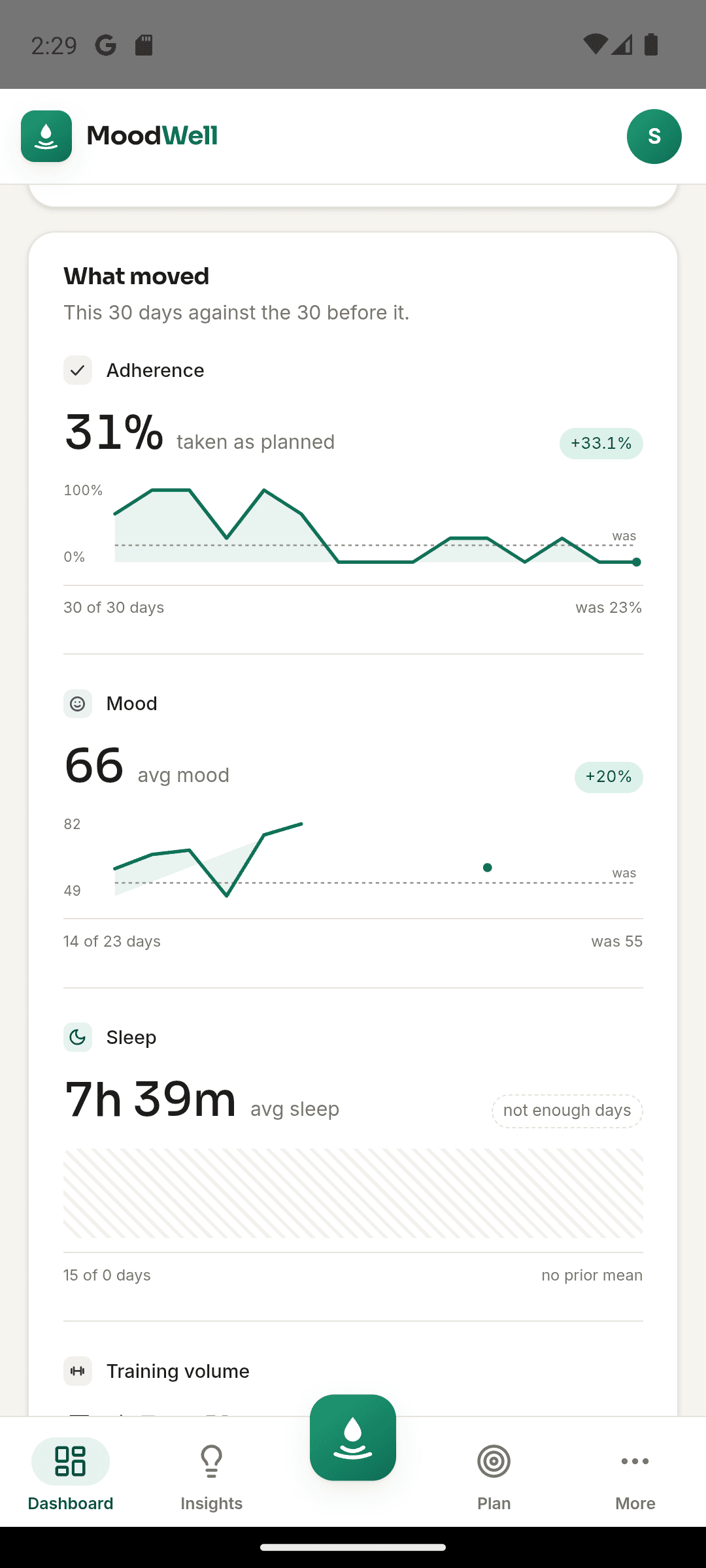
Moodwell combines workout logging, food tracking, medication records, and mood check-ins in four layers. Its shared planner brings the week together, while the dashboard helps you review your recorded activity. Start with the features you use every day and check the integrations before moving your history.
The situation
You log a workout in one app, meals in another, medication in a note, and mood somewhere else. Each tool may work on its own, but the full day is hard to reconstruct when you want to understand what happened.
Moodwell gives those records a shared home and a common planner. You can start with one layer, then add the others when they become useful.
Suitability check
Step by step
Start with the record you already make most often, such as workouts, meals, health items, or mood check-ins.
Compare the layersOn Android, review Health Connect permissions for the data you want to share. For GLP-1 history, check the Shotsy file-import instructions. These are separate workflows; other tracker histories do not transfer automatically.
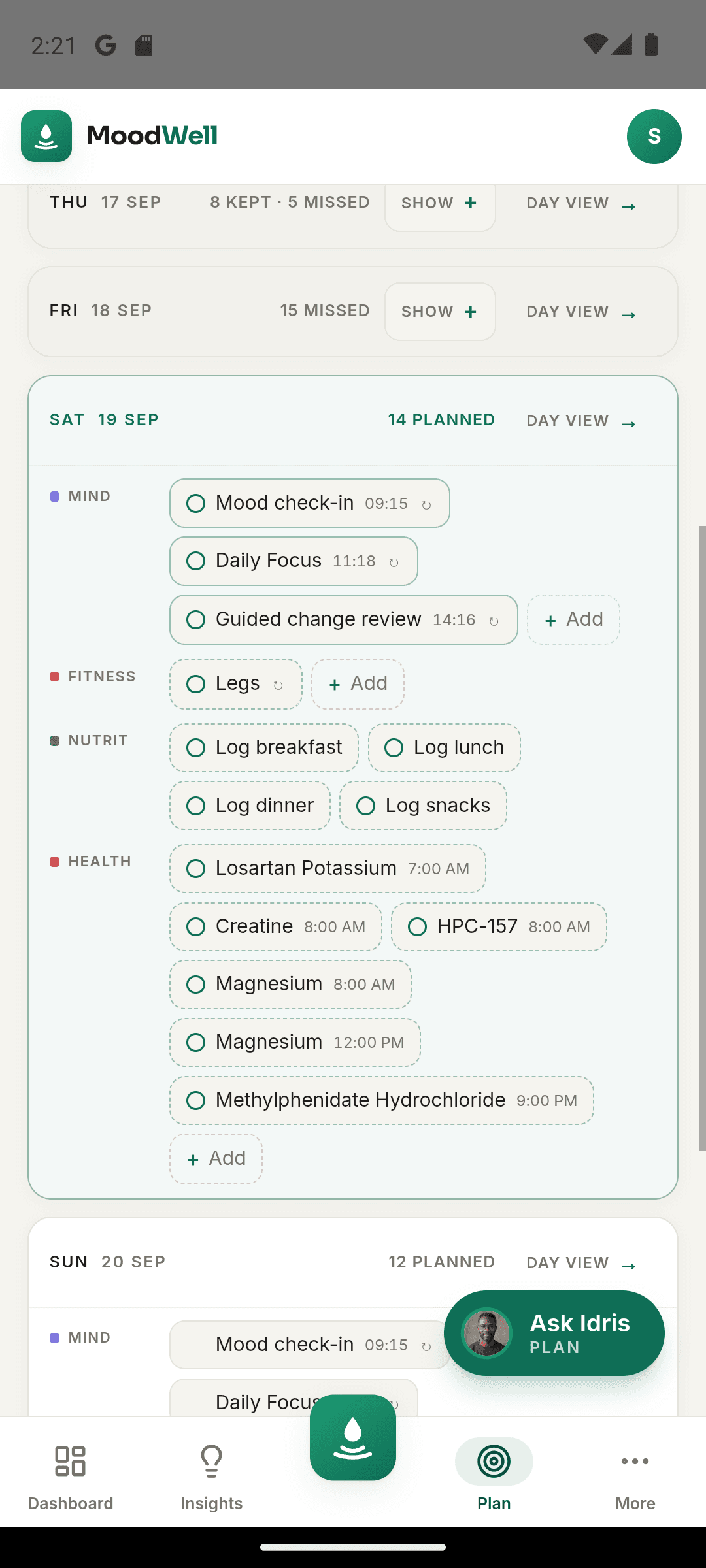
Review integrationsPlace workouts, meals, health schedules, and personal commitments in the shared planner.
See the plannerOpen Daily Insights to review today's activity. Use the dashboard for a longer view, then return to the original workout, meal, or check-in when you need the details.
Explore the dashboardA practical example
On Monday, you log breakfast in Nutrition, record a scheduled medication in Health, and open your planned workout in Fitness. That evening, a mood check-in captures how the day felt. Each entry keeps the detail that belongs to it: food portions, the recorded dose, workout sets, or your check-in notes.
At the weekend, open the planner to arrange the next week's meals and workouts. Use the dashboard to review activity across the layers, then open an individual record when you need more detail. You can keep a specialist app for a feature you still need; moving everything on the first day is optional.
Inside Moodwell
Review activity across Fitness, Health, Nutrition, and Mindfulness, and compare time periods.
Explore the connected dashboardSee planned workouts, meals, health items, and commitments in week and day views.
Explore the weekly plannerReview the day's recorded events and the context available for your next step.
Explore Daily InsightsAcross your day
A meal diary answers what you ate. A workout log answers what you trained. Moodwell lets you keep those details and review the day around them, so you can move from a weekly overview to the entry you want to revisit.
Medication and supplement records can appear alongside the rest of your day. They are not included in Moodwell's cross-layer correlation engine.
Go deeper
Bring workouts, meals, health schedules, and personal commitments into one realistic view of the week.
Read the guideConnect supported Android health data, choose permissions deliberately, and know what to check when a sync does not look right.
Read the guideChoose the fastest capture method for the food in front of you, then review the result before it reaches your diary.
Read the guideMoodwell
Choose Android or iOS to see the current release, beta, or waitlist option.
Questions, answered
Move the records that matter first. Check integration coverage and leave room for any specialist tools you still need.
Explore all FAQsNo. Choose the record you already make most often, such as meals or workouts, and use that layer first. Add another when keeping the records together would help your routine. You do not need a full history in every layer to begin.
Compare the four layersNo. Check the specific coverage of Android Health Connect and the Shotsy file import before moving your history. Other tracker records do not transfer automatically. You can start fresh with one layer while keeping older records in the tool that currently holds them.
Check what can transferNo. Moodwell is a personal wellbeing product, not a clinical record, diagnostic service, or treatment tool.
Moodwell is available for Android and on the desktop web. The iOS app is coming later, with no promised release date.