
Find exercises by muscle group and equipment.
Search Moodwell's exercise library by movement name or muscle, filter by body part and equipment, and read exercise details before adding a movement to your workout routine.
What it helps you do
What can you do with Exercise library?
Find a movement by name or muscle
Search for the exercise you know or the area you want to train.
Work with the equipment you have
Filter the library by body part and equipment to narrow your options.
Read before you add
Open exercise instructions and training details while building your routine.
Step by step
How Exercise library works
Search or choose filters
Enter a movement name or muscle, then select the body parts and equipment you want to include.
Open the exercise
Read its instructions and review the target muscle and equipment.
Add it to your routine
Choose where the exercise belongs in your session and set your workout targets.
Inside the app · Exercise library
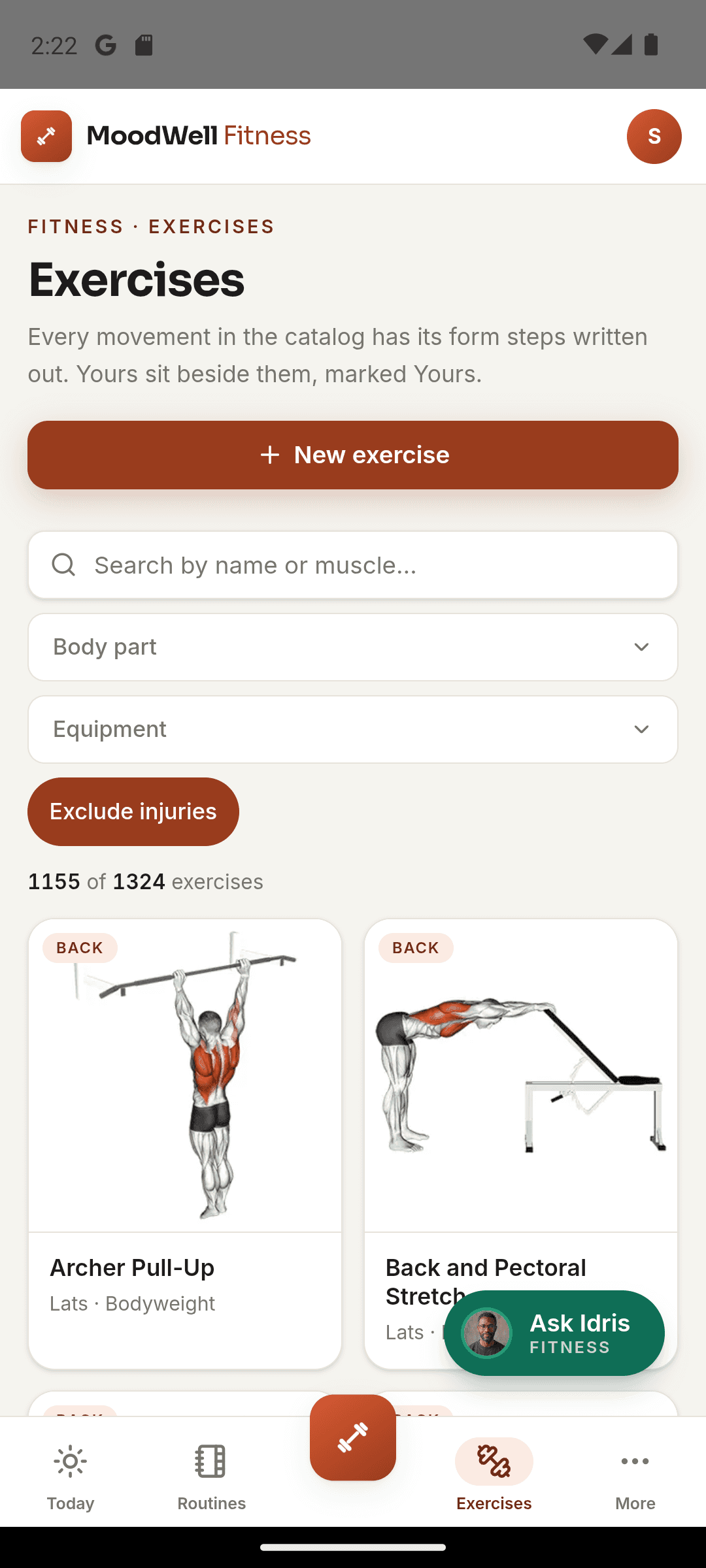
Find the right movement for the session you have in mind.
Narrow the library to the muscles and equipment you want to work with. Open an exercise for its instructions and details before giving it a place in your routine.
- Search by movement name or the muscle you want to train.
- Filter by body part to narrow your exercise options.
- Match movements to the equipment available to you.
- Read exercise instructions, then add the movement to your routine.
Build the routine while the details are fresh
Add selected movements directly to the training structure you are creating.
Before you start
Availability and things to know
Where you can use it
- Available on Android
- Available in the desktop web app
Things to know
- Exercise information is educational and does not assess whether a movement is appropriate for you.
Keep exploring
More in Moodwell Fitness.
Workout tracker
Log strength workouts in Moodwell as you train. Record exercises, sets, reps and weights, finish with a session summary and return to your workout history before your next session.
Workout plans
Create workout routines from a program, with AI assistance or from scratch. Choose exercises and set targets, organize routines into folders and schedule training days in Moodwell's weekly planner.
Strength and body tracking
Use Moodwell's muscle map and movement history to explore strength trends from your logged workouts. Keep body measurements alongside your training record and review the sessions behind each change.
Get started with Exercise library.
Choose a mobile platform to see its current release, beta, or waitlist option.
Questions, answered
Exercise library, explained.
Find an exercise, review its instructions, and decide whether it belongs in your routine.
Explore all FAQsCan I filter exercises by equipment?
Yes. The exercise library includes equipment and body-part filters, plus search by exercise name or muscle.
Can I read exercise instructions before adding a movement?
Yes. Open an exercise to review its instructions and training details before putting it in a routine.
Does the library tell me whether an exercise is safe for an injury?
No. Exercise details describe the movement; they do not assess your injury or circumstances. Use guidance from a qualified professional for injury-specific decisions.