
Build a workout plan around your week.
Create workout routines from a program, with AI assistance or from scratch. Choose exercises and set targets, organize routines into folders and schedule training days in Moodwell's weekly planner.
What it helps you do
What can you do with Workout plans?
Start with the structure you need
Choose a program for a starting point or build your own routine exercise by exercise.
Keep several routines organized
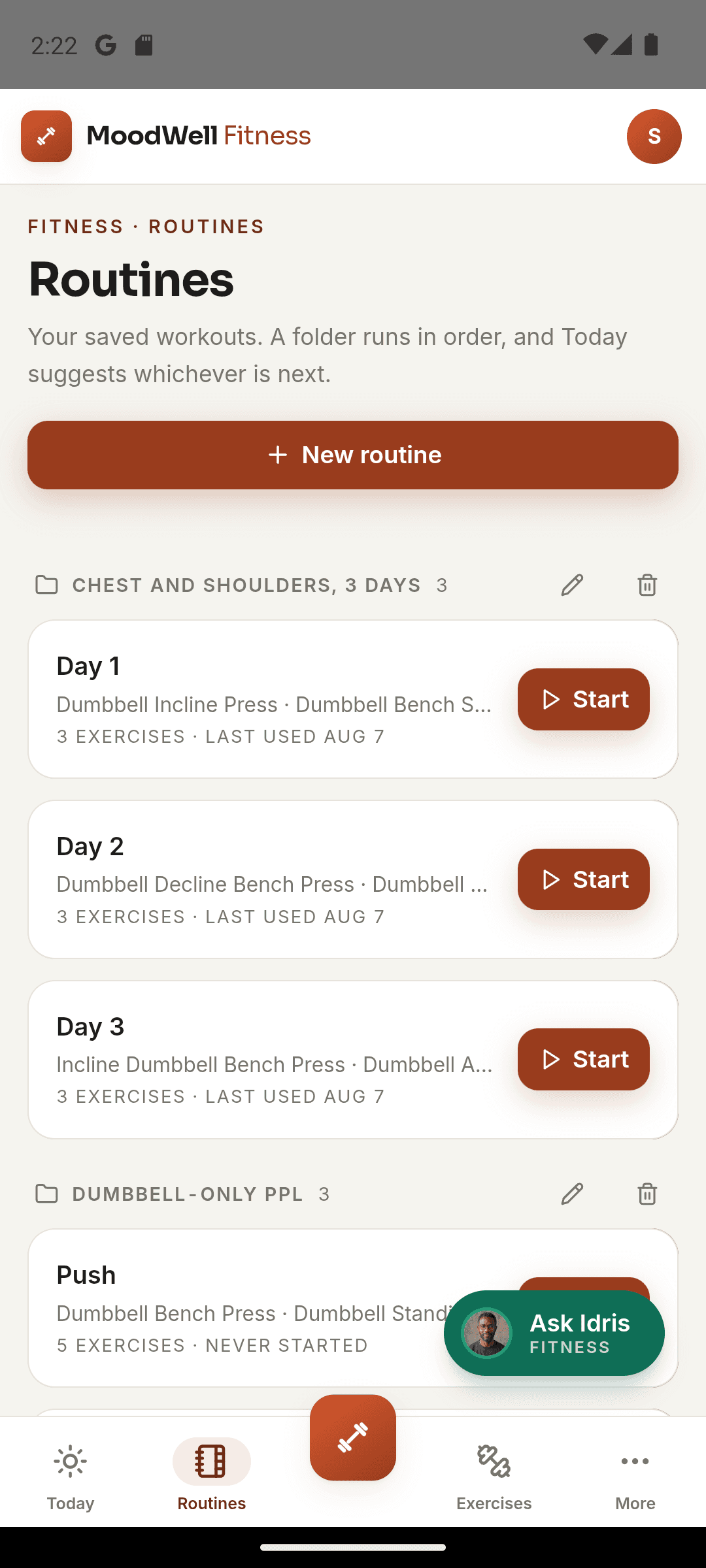
Use folders and routine rotation for training plans with more than one session.
Make training fit the calendar
Schedule sessions alongside meals and commitments so the plan reflects the time you have.
Step by step
How Workout plans works
Choose a starting point
Open a program, request an AI-assisted routine or create a routine from scratch.
Edit the routine
Choose exercises, check movement order and set the targets you want to follow.
Schedule your sessions
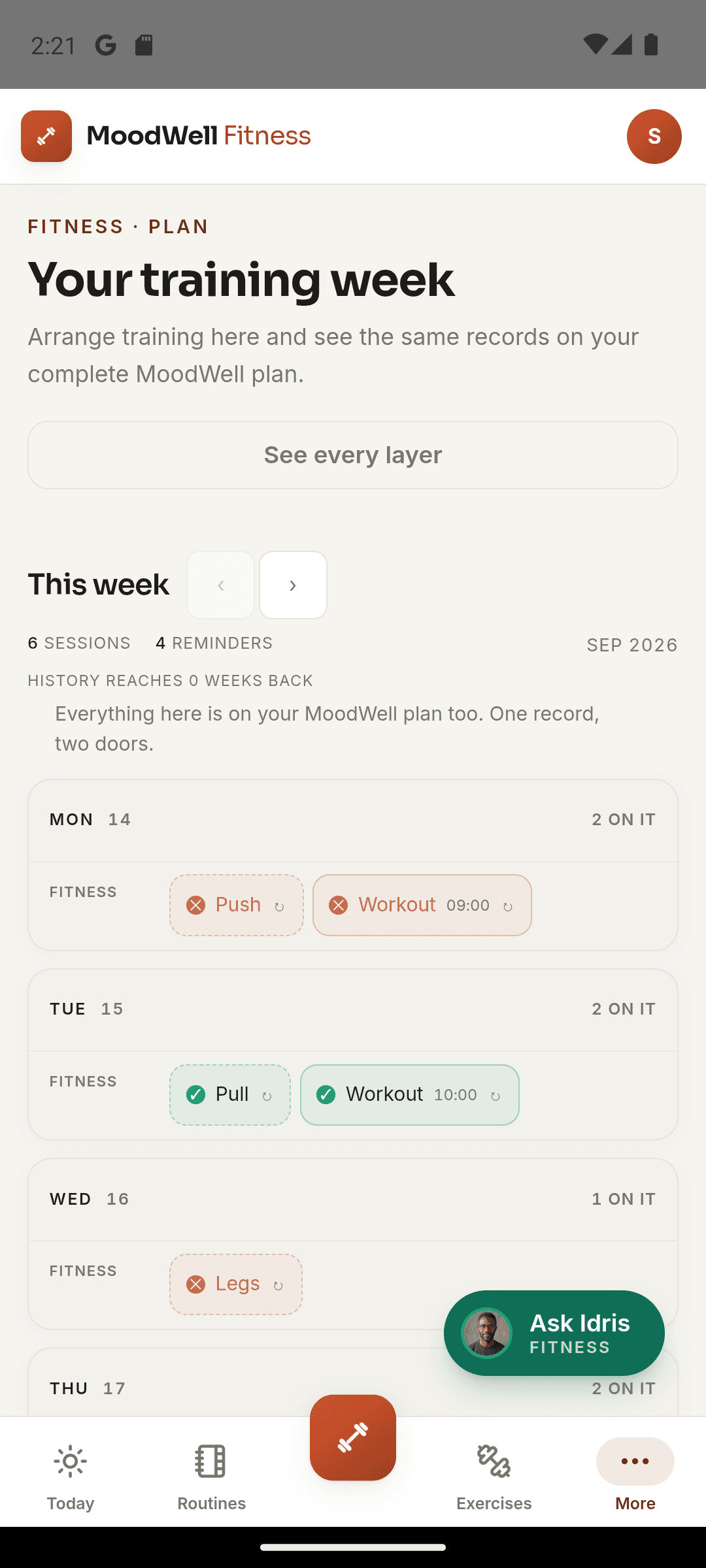
Place routines into your training week and review them in the shared planner.
Inside the app · Workout plans
Keep your routines ready for the days you train.
Your routine library keeps the structure of your training close at hand. Build sessions that suit your equipment and goals, organize them into a plan and choose the routine you are ready to follow.
- Start from a program, an AI-assisted routine or your own exercise choices.
- Edit exercise order and targets before beginning a session.
- Organize saved routines into folders and use routine rotation.
- Place training sessions into the shared weekly planner.
One training plan inside the bigger plan
Your scheduled workouts can sit alongside meals, health items and personal commitments.
Before you start
Availability and things to know
Where you can use it
- Available on Android
- Available in the desktop web app
Things to know
- AI-assisted routine creation uses credits and does not replace professional training advice.
- Modify movements and load choices for your experience and circumstances.
Keep exploring
More in Moodwell Fitness.
Workout tracker
Log strength workouts in Moodwell as you train. Record exercises, sets, reps and weights, finish with a session summary and return to your workout history before your next session.
Strength and body tracking
Use Moodwell's muscle map and movement history to explore strength trends from your logged workouts. Keep body measurements alongside your training record and review the sessions behind each change.
Exercise library
Search Moodwell's exercise library by movement name or muscle, filter by body part and equipment, and read exercise details before adding a movement to your workout routine.
Get started with Workout plans.
Choose a mobile platform to see its current release, beta, or waitlist option.
Questions, answered
Workout plans, explained.
Build a routine around your equipment and week. These details explain templates, scheduling, and optional AI help.
Explore all FAQsCan I build a routine around the equipment I have?
Yes. Start a routine from scratch and choose exercises and set targets, or begin with a program and adapt it. Use the exercise library to find movements by equipment and body part. AI can help draft a plan if you choose to use credits, but it is not required to build one.
Browse the exercise libraryCan I organize a push, pull and legs split?
Yes. Create separate routines for each session, organize them in folders and use rotation or scheduling to structure your training week.
Does creating a routine use AI credits?
Building a routine manually does not require AI generation. AI-assisted routine creation uses credits.