Nutrition, Food tracker
Reuse favorite foods without repeating old mistakes
Reuse individual foods through Favorites and Recently logged. Check each food match before favoriting it, then confirm today’s portion and date when adding it to a meal. For familiar combinations, add the relevant foods individually with their actual amounts. A mistaken match can feel trustworthy once you have picked it several times.
Which foods make good favorites?
A favorite is most useful when it represents something stable, such as the bread you buy or a particular yogurt. Moodwell’s food library offers individual favorites and recent foods. Choose the items you repeatedly use and check their descriptions carefully. Each food remains reusable even when the rest of the meal or the amount you eat changes.
You do not need to save every food you encounter. Begin with one breakfast ingredient or snack that you enter frequently. Removing that repeated capture gives you a practical benefit immediately and leaves the rest of the diary flexible for meals that change from day to day.
- 1
Pick a recurring food
Choose an item you have already checked and expect to eat again. Use favorites or recent foods to find it next time.
- 2
Reuse the foods individually
Add the checked items that belong in this meal. For a familiar combination, keep a short ingredient list in your own notes if that helps you remember its components.
- 3
Keep the final review
Read today’s portion, meal and date. Adjust for substitutions, different amounts or additions rather than accepting the previous meal unchanged.
Check the record before it becomes familiar
Read the food name, serving reference and available nutrition details before relying on a saved item. A mistaken match can feel trustworthy after you have selected it several times. Familiarity is not evidence that the original entry was correct. Compare packaged foods with the package and homemade combinations with the ingredients you used.
Read the descriptions of similar foods carefully. Plain yogurt and vanilla yogurt can look alike in a quick list but describe different products. If you eat oats with changing toppings, favorite the individual foods that recur. Add the topping you used today separately so yesterday’s combination does not silently become today’s entry.
The same oats and milk, different fruit
You often eat the same oats and milk but vary the fruit. After checking the oats and milk records, favorite each individual food. On Monday, add them to breakfast with the amounts you used, then add the berries. On Thursday, select the same individual favorites and add a banana instead. The recurring ingredients stay easy to find.
If you make a larger bowl on Saturday, a favorite does not automatically know that. Review the portion for both the oats and the milk. Reuse removes the need to capture the same foods again; it does not remove the decision about how much you ate. Check the date before confirming each item.
What a favorite is, and what it isn’t
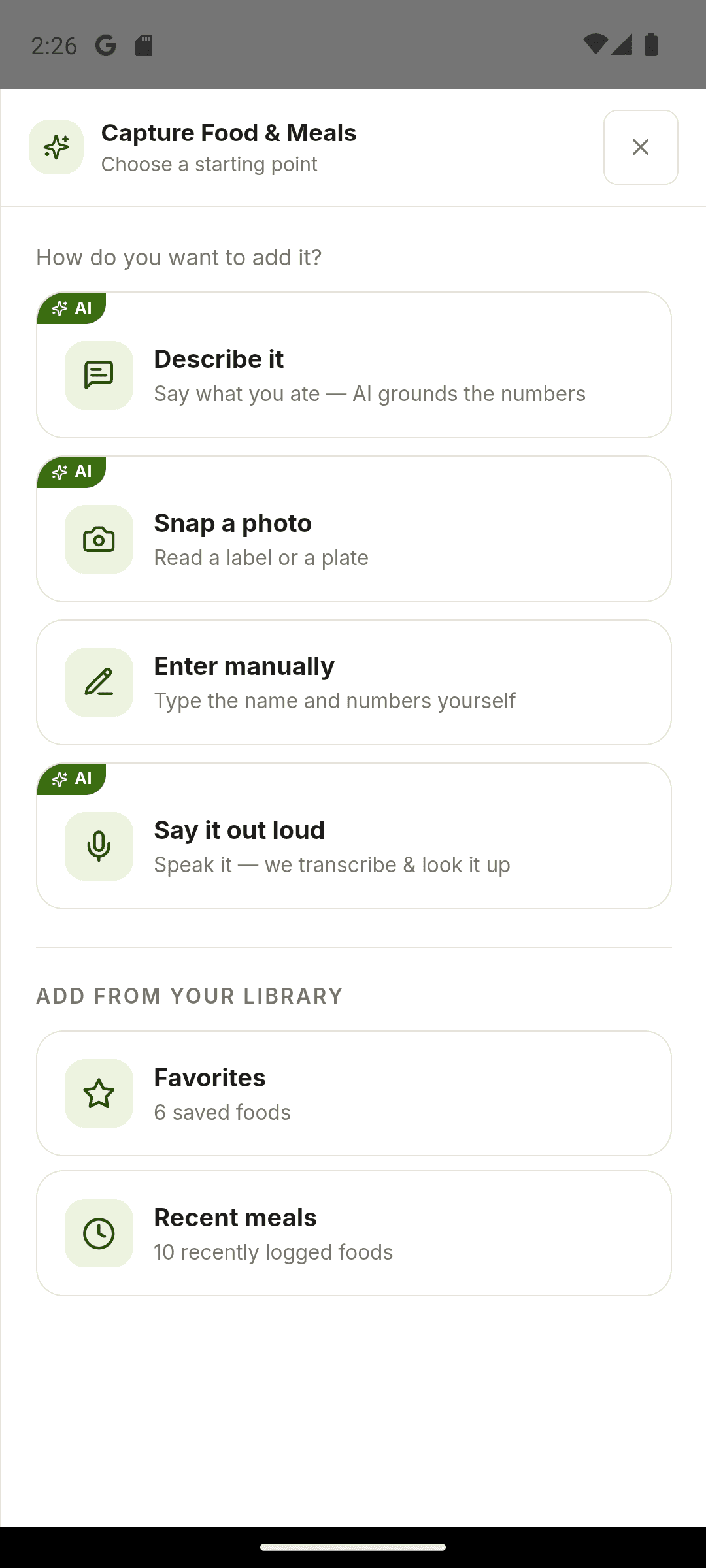
The food library in Moodwell has two lists, “Favorites” and “Recent meals”, and both hold individual foods, not combinations. There is no saved meal, bundle or recipe, so an oats, milk and berries breakfast is three favorites, added one at a time. Re-adding from either list is free. The credit cost applies only to the “Describe it”, “Snap a photo” and “Say it out loud” lookups that created a record in the first place, and manual entries are free from the start.
Today adds two shortcuts on top of the library. “Quick re-add” offers foods you have logged recently, and “From yesterday · not added” shows yesterday’s foods that have no entry today. Both are prompts, not automatic logging: nothing goes into the diary until you confirm it. Each re-added entry gets the slider again, from 0.25× to 3× in quarter steps, so Saturday’s larger bowl is a step up on the same favorite.
- You can’t save a whole meal as one favorite. Favorites and Recent meals hold single foods. Save the recurring ingredients separately and add them in a row; a short list in your own notes covers the combination.
- Re-adding a favorite doesn’t cost a credit. Credits are charged only for AI lookups (photo, voice and describe, 1 credit each). Re-adding from Favorites, Recent meals or Quick re-add is free, as is manual entry.
- A favorite carries the record’s reference serving and its per-100 g values. The multiplier is chosen fresh each time, so there is no usual amount saved with it.
- You can’t set a default portion for a favorite. Each add shows the slider and you choose the step. If your usual amount isn’t a quarter step of the record, a manual entry with “Serving (g)” set to that amount makes 1× the right size.
- A diary row offers “Remove entry” and no edit, so a favorite added to the wrong meal is removed and added again.
- Favorites can be added to a past day, back to 30 days, but not to a future one. Tomorrow’s breakfast belongs in “Plan it for a day”, which is free and logs nothing.
When should you update a saved favorite?
A new brand, different package size or revised product is a reason to check the food again. Remove an outdated favorite when it no longer represents what you buy, and favorite the checked replacement. A small collection of recognizable foods is easier to use than a long list you have to investigate every time you eat.
Replacing a favorite doesn’t touch the past. Entries already in the diary keep the old record, and the diary can only remove a row, not edit it.
Related Moodwell feature
Review the food before it reaches your diary
Capture foods by photo, voice, description or manual entry, then confirm the match and portion.
Explore food tracking