
Reframe a difficult thought with a more balanced perspective.
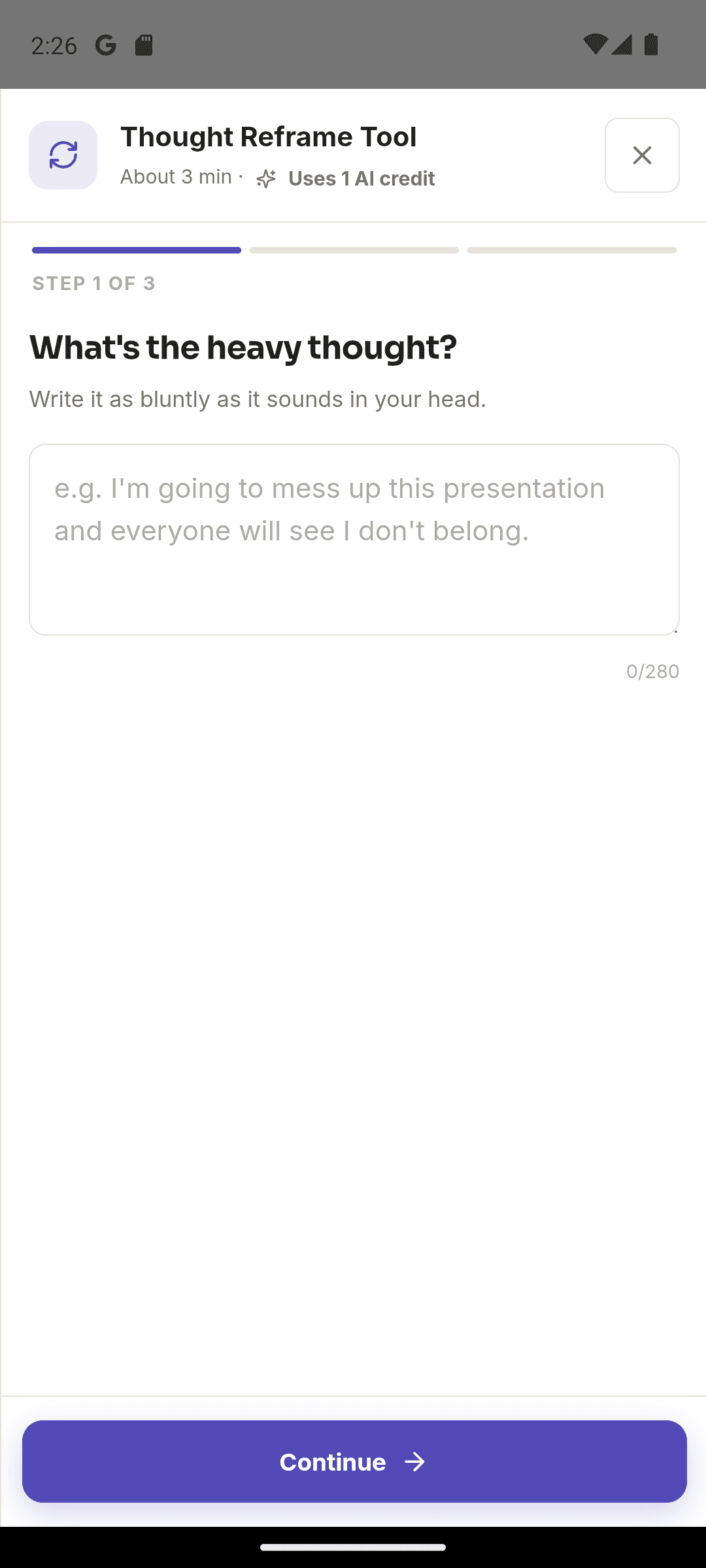
Write a thought in Moodwell's Thought Reframe tool, rate how true it feels and choose the tone that fits it. Review alternative reframes, select one you can believe and receive AI support for your reflection.
What it helps you do
What can you do with Thought Reframe?
Put the thought into words
Work with one sentence, such as: One mistake means I have failed.
Notice its strength and tone
Rate how true it feels from 0 to 10 and choose up to two tone tags, such as harsh or fearful.
Choose a believable alternative
Review reframe options and select the perspective that feels more balanced to you.
Step by step
How Thought Reframe works
Write and rate the thought
Enter one thought and rate how true it feels right now on the 0-10 scale.
Choose its tone
Select up to two tags, such as self-critical, overwhelmed or perfectionistic.
Select a reframe
Review the alternatives, choose one and complete the tool to receive AI reflection support.
Inside the app · Thought Reframe
Find an alternative you can actually believe.
Work with one thought at a time. Thought Reframe helps you name its strength and tone, explore other interpretations and choose a perspective that feels more balanced to you.
- Write the specific thought you want to explore.
- Rate how true it feels on a scale from 0 to 10.
- Choose up to two tone tags, such as fearful, harsh or perfectionistic.
- Review reframe options, choose one and complete the AI-supported reflection.
Keep the fuller story in your journal
Save the broader context in an entry when a single reframe is only one part of the situation.
Before you start
Availability and things to know
Where you can use it
- Available on Android
- Available in the desktop web app
Things to know
- Thought Reframe uses AI credits for its reflection support. It is a self-reflection tool, not cognitive behavioral therapy or clinical treatment.
Keep exploring
More in Moodwell Mindfulness.
Mood tracker
Check in with your mood in Moodwell, record stress and energy, and add the context you want to remember. Review your mood history to see how your days have felt over time.
Journaling
Write journal entries in Moodwell, attach a mood or context, and return to past reflections. When you want help exploring an entry, request an AI reflection on what you have written.
Guided conversations
Explore a difficult meeting, decision or recurring thought with a guided AI conversation in Moodwell. Keep the session together as you answer questions, reflect on what matters and consider a next step.
Guided Change
Set a personal goal in Moodwell Guided Change and record the moments that relate to it. Review attempts, setbacks and progress over time, with AI insights when you want help reflecting on your history.
Daily Focus
Moodwell Daily Focus turns a short check-in into an AI-generated plan for today. Share how you feel, the area on your mind and the quality you want to bring to it, then choose from three suggested focus actions.
Daily Positivity
Moodwell Daily Positivity starts with how the day feels, the kind of support you want and one honest observation. It creates an AI-guided reflection with three short activity ideas and a moment to pause and savor.
Wellbeing tools
Choose from Moodwell's wellbeing tools for breathing, emotional awareness, reflection, focus and gratitude. Browse by what you need, from a paced breathing exercise to a thought reframe or a small next step.
Get started with Thought Reframe.
Choose a mobile platform to see its current release, beta, or waitlist option.
Questions, answered
Thought Reframe, explained.
Work with a believable alternative to a difficult thought, without pretending the facts or feelings are different.
Explore all FAQsHow does Thought Reframe work?
Enter a thought, give it a 0-10 belief rating and select up to two tone tags. The tool offers reframe options; choose one to complete the reflection and receive AI support.
Do I have to replace a difficult thought with something positive?
No. Look for a perspective you find believable. For They have not replied, so they must be upset, an alternative could be I do not know why they have not replied yet.
Does Thought Reframe use AI credits?
Yes. Completing the tool requests AI support and uses credits. It is a self-reflection exercise, not a course of cognitive behavioral therapy.