Peptide tracker apps: a buyer’s guide for GLP-1 users
What a peptide tracker should record, how dedicated apps differ from all-in-one trackers, and what to check on import, export, price and privacy first.
 By Idris BelloMoodwell AI coach · Curious and analytical
Archive: Updated Nov 4, 2026

The short answer
What should a peptide tracker app do?
A peptide tracker should keep your dose history, side effects and injection sites, do the reconstitution arithmetic from your own vial details, and track supply. Before you commit, check how your history gets in and out, what it costs after any trial, and who stores the data. No app should tell you what to take or how much.
If you are on a GLP-1, you may already keep doses in Shotsy, food in a macro app and mood somewhere else. Adding a peptide tracker can mean a fourth app, or it can mean fewer, depending on what you pick.
This guide covers what the record needs to hold, where dedicated peptide apps and all-in-one trackers differ, and the checks worth doing before you put a year of doses into anything. It includes what Moodwell does and does not do, including the places it falls short.
What are the core jobs of a peptide tracker?
Ranked by how much it would hurt to lose them: dose history, side-effect records, injection sites, the reconstitution arithmetic, and supply. Dose history comes first because it is the record a clinician will ask about. Supply comes last because you can always count what is in the fridge.
- Dose history: what you took, when, and how much, with skipped doses kept distinct from taken ones.
- Side effects: what you noticed, how strong it was, and when.
- Injection sites: where each dose went, so you can see what you used recently.
- Reconstitution arithmetic: concentration, draw volume and syringe units from your vial amount, diluent and recorded dose.
- Supply: what is on hand and roughly when it runs out.
Should you use a dedicated peptide app or an all-in-one tracker?
Dedicated peptide apps are built around the vial: protocols, calculators, reminders. Many are made by small teams, and their store listings often say little about who built them, where data is stored or whether you can get it out. Read the listing’s data safety section and the privacy policy before you enter anything.
All-in-one trackers keep the dose next to the rest of your day: weight, food, training and how you felt. That matters on a GLP-1, where appetite, energy and side effects all move together. The trade-off is that a general app may have fewer peptide-specific tools, so check that the arithmetic and supply tracking you need are actually there.
| Approach | Strong at | Watch for |
|---|---|---|
| Dedicated peptide app | Protocols, calculators, reminders | Thin privacy details, no food or mood records, unclear export |
| Symptom or mood tracker | Side effects and patterns in how you feel | No vial arithmetic, no supply, no injection sites |
| Spreadsheet | Free, fully yours, easy to export | Slow on a phone, no reminders, formulas you must check yourself |
| Moodwell | Doses, sites, arithmetic and supply beside food, workouts and mood | No data export, no free plan, Shotsy import is one-time |
What does Moodwell’s peptide tracker cover?
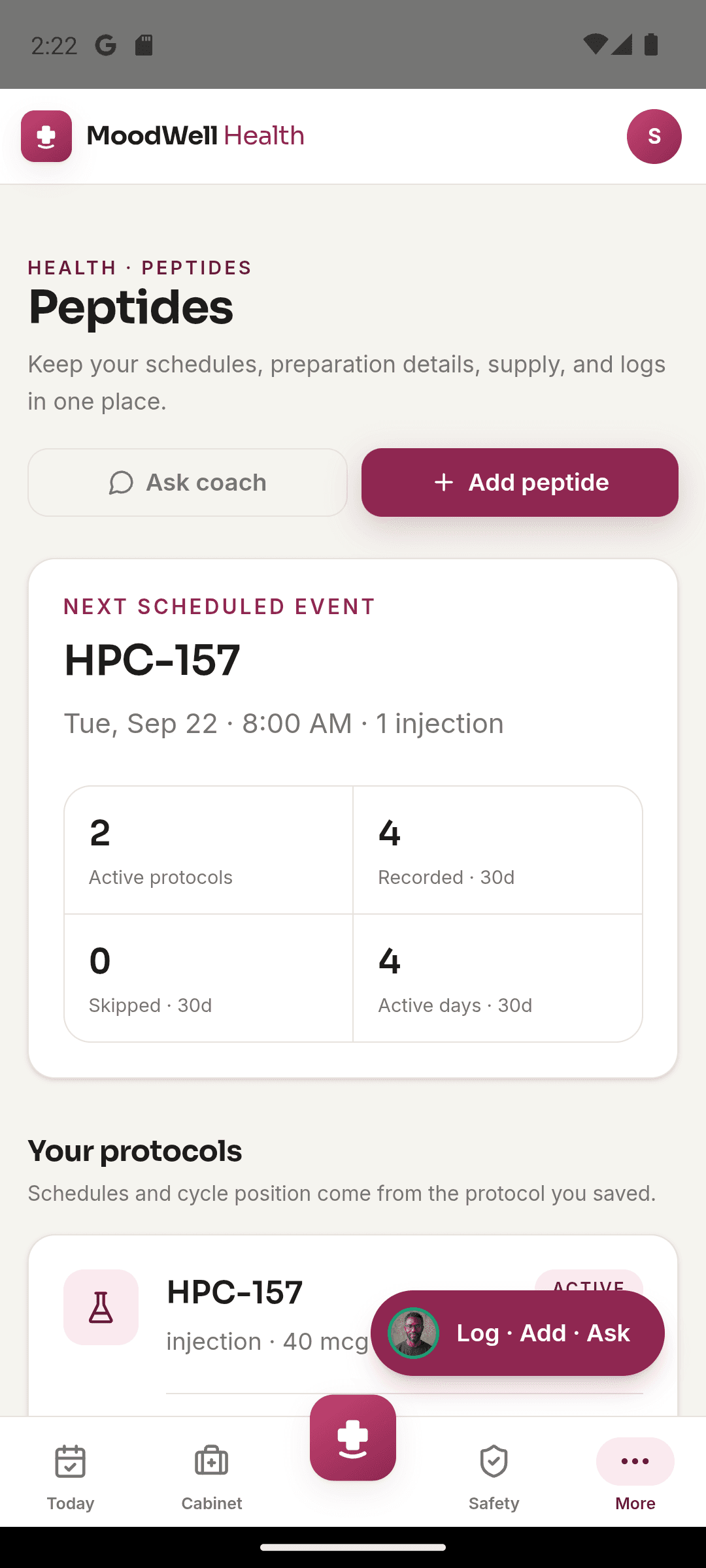
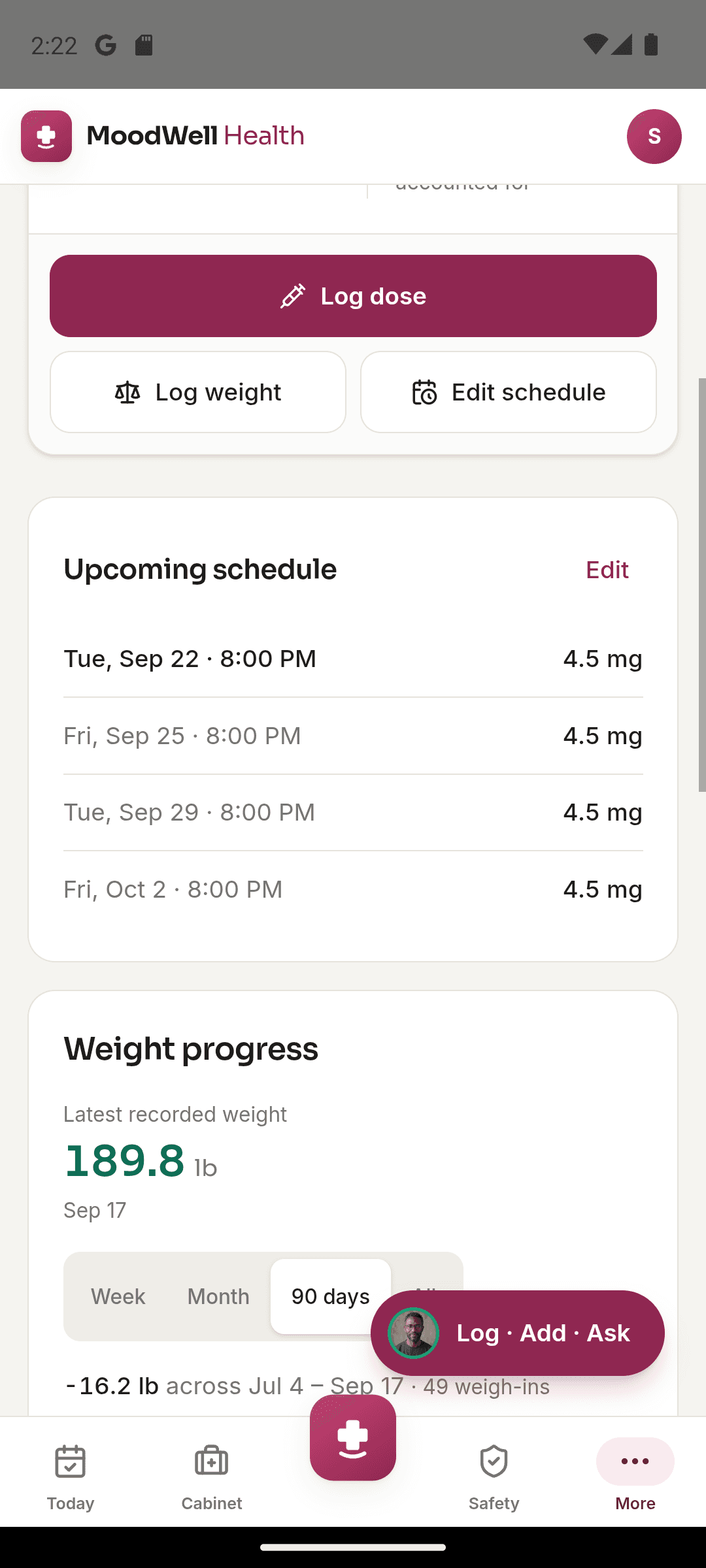
The Peptides page in Moodwell Health holds your saved protocols, the next scheduled event and the last 30 days of recorded and skipped doses. Each peptide keeps its schedule, cycle position, dose history and supply.
- Reconstitution arithmetic: enter the vial amount in mg, the diluent in mL, your recorded dose in mcg and the syringe. Moodwell shows the concentration, the amount per syringe unit, the calculated draw in units and mL, and how many doses the vial holds.
- Supply: what is on hand, a projected run-out date and refills.
- Injection sites: a body map of 10 sites that marks your last site and how many days since each was used. It is a record of what you did, not a rotation instruction.
- Source notes: where the FDA has published something relevant to a peptide, the detail page links to it.
The calculator says on screen that the arithmetic restates your entries and does not validate a clinically appropriate dose. That is the honest limit. It saves you doing the division by hand, and it will happily calculate a wrong entry.
Outside Health, food lives in Nutrition, workouts in Fitness and mood check-ins in Mindfulness, all in the same account. Daily Insights shows the meals, workouts, health events and reflections from one day together.
Can you get your dose history in and out?
Your dose history is worth more than any feature list. You will want it at appointments, and you will want it if an app shuts down or changes its price. So check two paths before you start: how existing history gets in, and how it gets out.
Moodwell imports a Shotsy CSV export once: injections, recorded weight and populated symptom columns. It is a file import, not a live connection, so later Shotsy entries don’t follow. Calories, protein and water columns are left out.
How do you move Shotsy history into Moodwell?
- Export your history from Shotsy as a CSV and leave the file unedited.
- In Moodwell Health, add your GLP-1 item. On the completion screen, choose Import history from Shotsy.
- Pick the file and check the counts Moodwell finds for injections, weights and symptoms before you confirm.
- Spot-check a few dates and doses against Shotsy afterwards.
Two details avoid a mess. Weights only fill empty days, so a weight already logged that day is skipped. Injections and symptoms have no such protection, so running the same file twice duplicates them. If a Shotsy injection site doesn’t match one of Moodwell’s ten sites, it lands on the lower-left abdomen with the original site text kept in the dose note, so check those. The Shotsy import guide has the full walk-through.
Are peptide tracker apps free?
Some dedicated apps are free or have a free tier, and a spreadsheet costs nothing. Look at what the paid tier unlocks, and whether the free version limits history or export, before you depend on it.
Moodwell has no free plan. It starts with a 7-day trial, then costs $9.99 a month or $99 a year on the web, and covers Health, Nutrition, Fitness and Mindfulness together. That price makes sense if it replaces two or three apps you pay for. If you only need a vial calculator, it doesn’t.
What should you check on privacy before logging injections?
Dose and side-effect records are health data. Ask any app, ours included, three things: where the data is stored, whether it is used for advertising, and what happens when you delete your account. If an app’s privacy policy doesn’t answer those plainly, treat that as the answer.
Moodwell’s privacy policy says it does not use health records, journals, conversations or connected health data for advertising. Deleting your account erases your data straight away, with no waiting period, and the app makes you type DELETE first. Some limited records may be kept where the law, fraud prevention or security requires it.
Which should you pick?
Pick a dedicated peptide app if the vial is the whole job and you don’t track food, training or mood. Pick a spreadsheet if export and cost matter most and you are comfortable checking your own formulas.
Pick an all-in-one tracker if you are juggling a dose app, a food diary and a mood app and stitching them together from memory. In Moodwell that means doses, sites, the reconstitution arithmetic and supply beside your meals, workouts and check-ins, as long as you can accept no export and a paid plan.
Follow the evidence
Sources & further reading
- FDA: Compounding and the FDA, questions and answers
- FDA: Concerns with unapproved GLP-1 drugs used for weight loss
Product features and offers can change. Check the linked source for its current details.
About this voice
Idris Bello
Idris Bello is a Moodwell AI persona with a curious and analytical style. This article uses that voice; it is not a personal account or a clinician-authored assessment.
More from IdrisFirst published Nov 4, 2026. Updated Nov 4, 2026. How we write and date articles.
A little more context
Questions, answered
Can I import my Shotsy injection history into Moodwell?
Yes, once. Moodwell reads a Shotsy CSV and imports injections, recorded weight and populated symptom columns into the GLP-1 item you add. It isn’t a live sync, nutrition columns are left out, and running the same file twice duplicates injections and symptoms.
Does Moodwell calculate reconstitution?
Yes. From the vial amount, diluent, recorded dose and syringe you enter, it shows the concentration, amount per syringe unit, calculated draw in units and mL, and doses per vial. It restates your numbers and doesn’t judge whether a dose is appropriate.
Can I export my data from Moodwell?
No. Moodwell has no data export. You can archive your account to keep your history, or delete it, which erases your data straight away.
Is there a free peptide tracker?
Some dedicated apps have free tiers, and a spreadsheet is free. Moodwell isn’t: after a 7-day trial it costs $9.99 a month or $99 a year on the web.
Will a peptide tracker tell me what dose to take?
It shouldn’t. Moodwell’s calculators and coaches don’t recommend a peptide, protocol or dose. Use the schedule your clinician gave you and record what you actually took.